







Getting Started
Main Menu Guide
A numbered tour of every section of the ESB main menu, from devices and modes to the kick timer, scheduled modes and profiles.

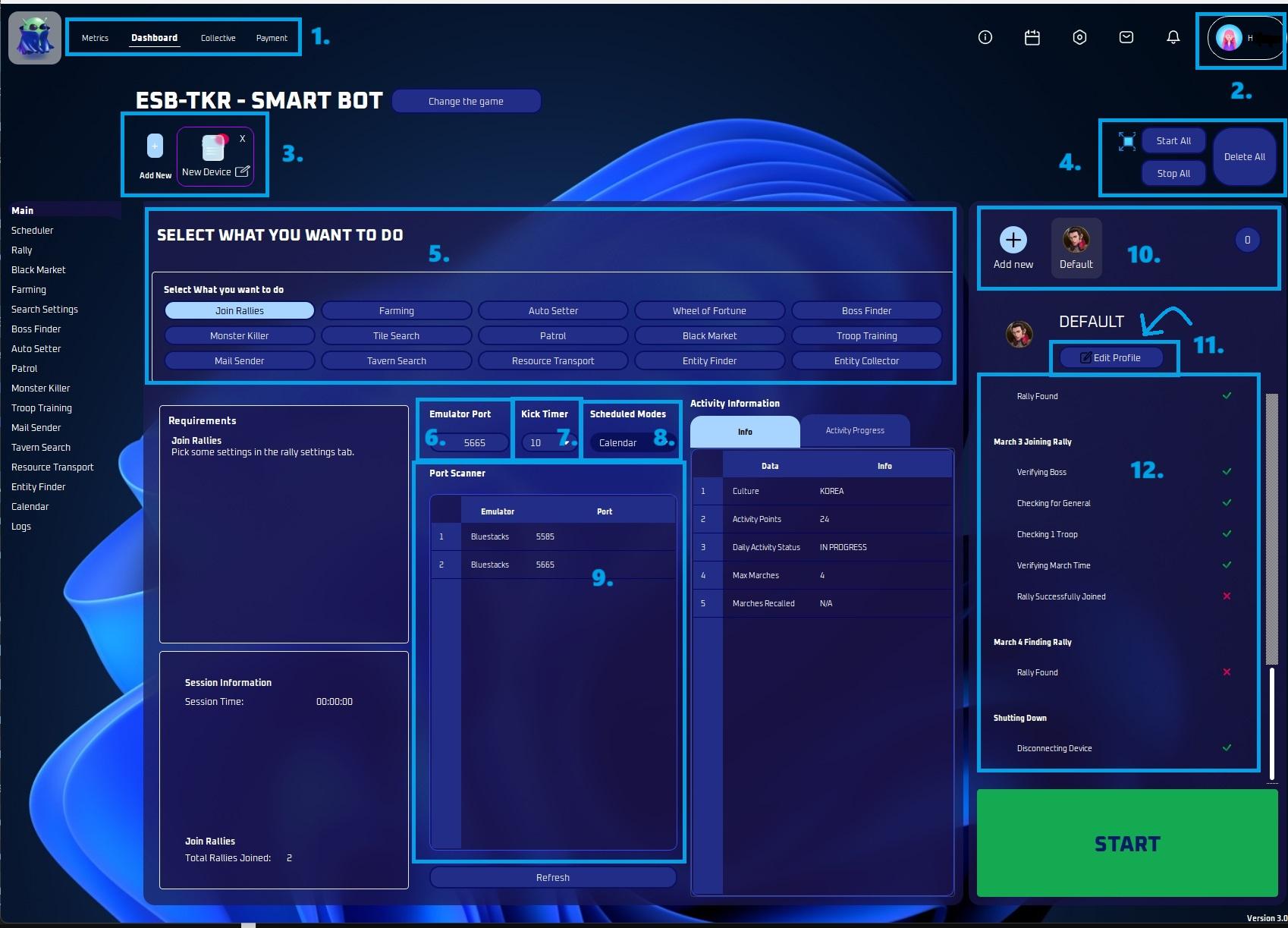
This section displays your metrics, dashboard, payment, and collective information.
Account Details
- Here is where you can access your personal information and view specifics of your subscription.
Devices
- This is the area where you can add devices (instances).
Device Actions
- You can opt to start all, stop all or even delete all instances conveniently from this section.
- You also have an option to sort devices here.
Modes
- Select the mode/s you wish to activate.
Emulator Port
- Enter the emulator port number in this field.
Kick Timer
- Sometimes you want to check in to see how your account is doing, or talk to your alliance mates. This timer will pause the bot for X minutes, and allow you to play during this time. It will then boot you off and the bot will resume. Very useful, mainly on main accounts to check in!
Scheduled Modes
- Default - the original ESB way. Leave it if you don't want to mess with setting up times.
- Hybrid - Runs the main jobs from the Main page, but will run activities from the times in the Calendar.
- Calendar - Runs main jobs and activities from the Calendar.
- Activities - Runs only activities selected on profile tab.
- Hybrid Reverse - Runs only the main tasks in Calendar, but runs the activities as normal
Port Scanner
- Here it will show all actively open port numbers.
Profiles
- This area provides an overview of all active profiles.
- You can also add profiles here.
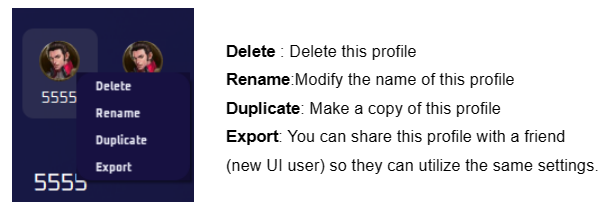
- By right clicking on an active profile you can either delete, rename, duplicate or export it.
Edit Profile
- This section allows you to customize your profile to align with your preferences, including the choice of activities.
Details
- This is the latest addition- now you can view the planned actions.