


Automation Modes
Tavern Search Guide
Refresh the tavern and recruit selected generals by setting refresh times, the generals to search for and purchase times.
On this page

How to Use
Follow the steps below to understand and take advantage of this mode.
Mode
Select the Tavern Search mode as shown below.
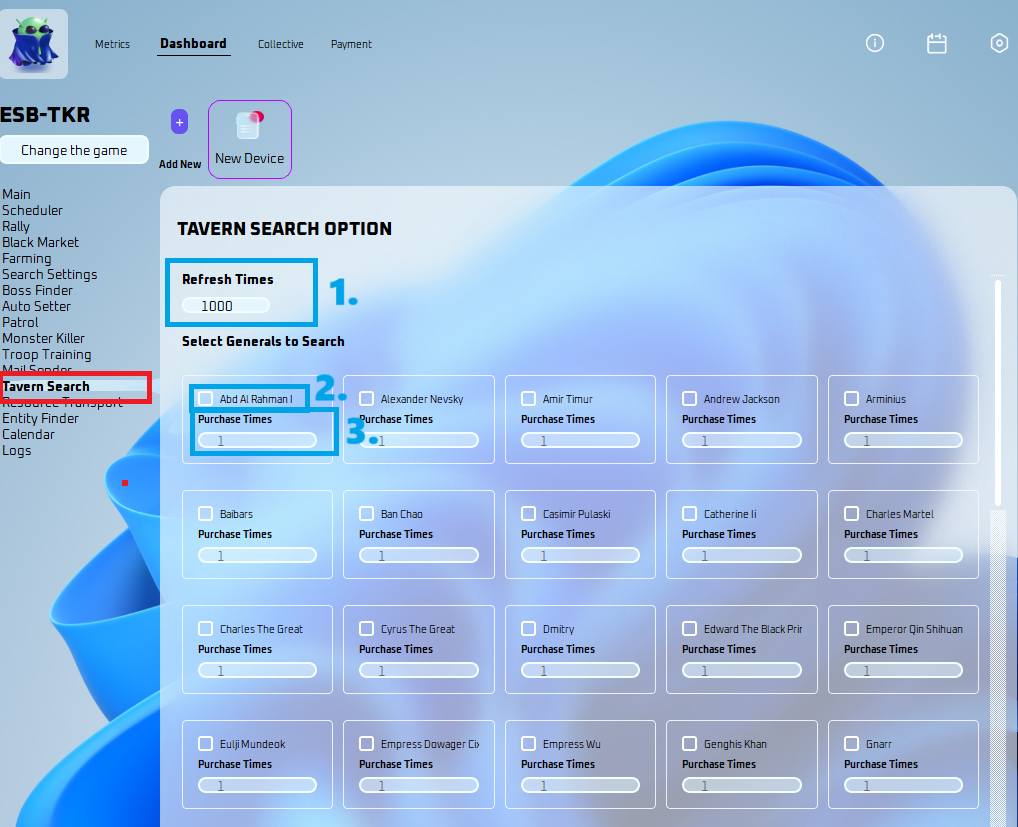
Refresh Times
- Amount of times it will refresh.
Select Generals to Search
- Select the general you want to search in the tavern.
Purchase Times
- Amount of times it recruits the general you selected.