







Automation Modes
Boss Finder Guide
Find bosses and monsters on the map and share them to alliance chat, whispers, your local queue or the Collective, with AC and viking list scanning.
On this page
How to Use
For a thorough explanation, we encourage you to watch the provided instructional video here: https://www.youtube.com/watch?v=J3IOhJ13pgo.
Follow the steps below to understand and take advantage of this mode.
Boss Finder Settings
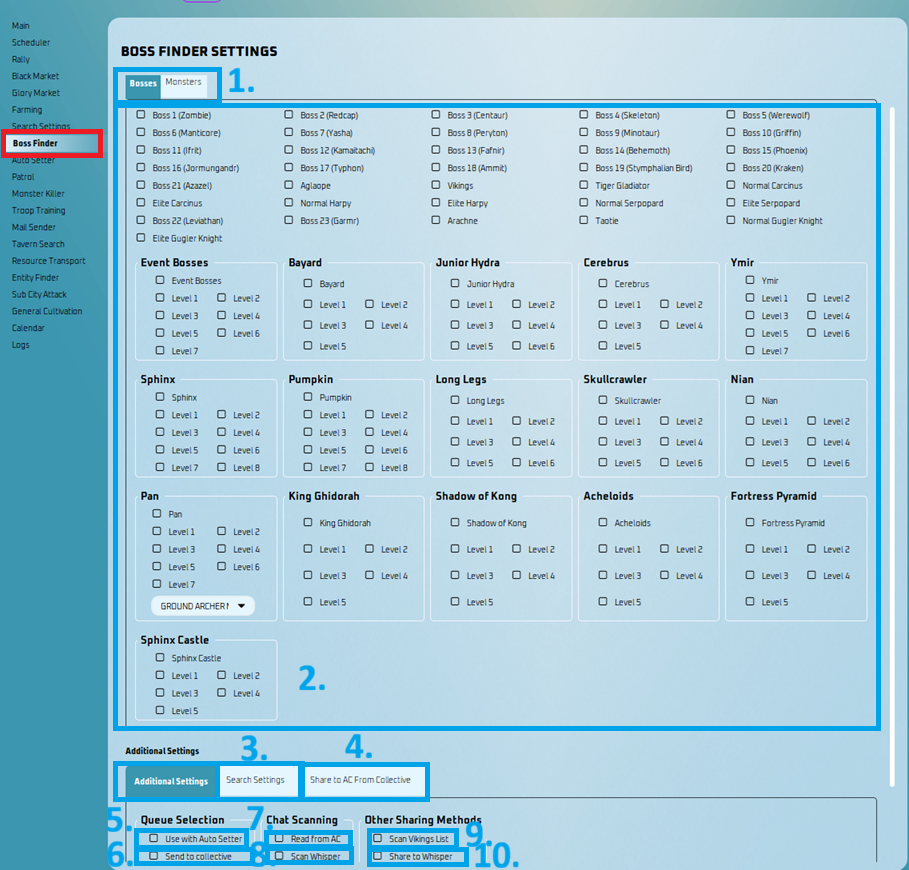
- You must go to the Boss Finder Settings tab and select some bosses you wish to find!
Find Bosses or Monsters:
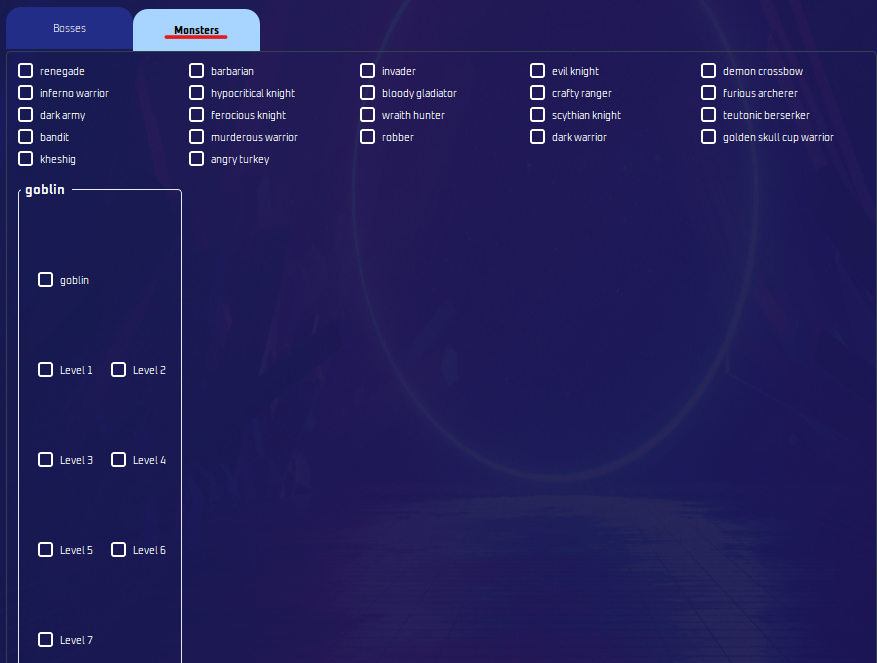
- Now, you can locate monsters with the boss finder. Select the monsters you are after by choosing from this tab, and that includes Goblins as well!
Bosses to Find:
- Select the bosses you wish to find.
Search Setting:
- Additional Start Search at X, Y:
- It will start at the X,Y coordinates you specified.
- Randomness will add/subtract the distance from your center point (X,Y)
- AC Scan Scrolls:
- Custom scroll amount to AC scan.
- Additional Start Search at X, Y:
Share to AC from Collective:
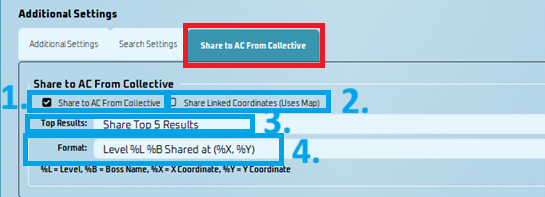
This feature lets you share boss coordinates from Collective directly to Alliance Chat using Boss Finder.
- Share to AC From Collective
- Enables sharing boss coordinates from Collective to Alliance Chat
- Share Linked Coordinates (Uses Map)
- Sends clickable in-game map links instead of plain text.
- Top Results
- Choose how many bosses to share from the top of the Collective queue (to prevent AC spam)
- Format
- Customize the chat message format
- %L = Level
- %B = Boss Name
- %X = X Coordinate
- %Y = Y Coordinate
- Customize the chat message format
Example: Level %L %B Shared at (%X, %Y)
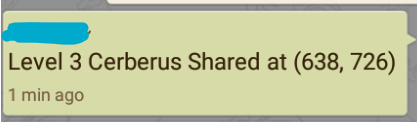
[!WARNING]
- Search Type in the Search Settings tab must be set to RANDOM for this feature to work.
- If using this alongside Auto Setter, make sure to use a different key.
- Share to AC From Collective
Use With Auto Setter:
- If you select this option, bosses will be shared to either your personal queue or a collective, otherwise it is shared to AC.
Send to Collective:
- This will send bosses to the collective rather than your personal queue for sharing!
- Make sure you have generated a boss key and selected this key on profile settings.
Read from AC:
- The bot will scan AC for any bosses shared. It can send to your personal queue or collective based on setting #2.
- You typically only need one instance reading AC.
Scan Whisper:
- The bot will now scan the top whisper for boss coordinates.
Scan Vikings List:
- You can now scan for vikings in the boss finder. Every beginning of boss finder will scan the viking list first before scanning the map.
- You only need one finder scanning the viking list, more is unnecessary in my opinion.
- If you only want to scan the list of vikings, set the search time to 0 in search settings.
- Vikings now have a shorter expiration time which is separate from the expiration time in the collective, as they tend to spawn in the same coordinates. This time is 15 minutes. It will take a shorter time if the collective has a smaller value.
Share to Whisper:
- You now have the option to share bosses to the top person in your list in whispers. You should ideally only have 1 favorite and that favorite should be the person you want to whisper.
AC Scan Scrolls:
- Custom scroll amount to AC scan.
Start Search at X, Y:
- It will start at the X,Y coordinates you specified.
- Randomness will add/subtract the distance from your center point (X,Y).
Note
You MUST zoom out of the map in the game. You can do this using CTRL + MOUSE WHEEL on your computer, or using F3 on MEmu. Make sure your game isn’t full screen to do this, otherwise zooming won’t work. You may need to restart your emulator sometimes to get zooming to work.
To share bosses to AC, you need to uncheck both use with autosetter and read from AC.
To spot more bosses, you must run multiple accounts using this mode and spread them around 100 KM around your hive. The more accounts you have running this mode, the more bosses are spotted!