Automation Modes
Calendar Guide
Schedule main jobs and activities in the Calendar, choose a scheduled mode and manage the events planned for today.
On this page
How to Use
Follow the steps below to understand and take advantage of this mode.
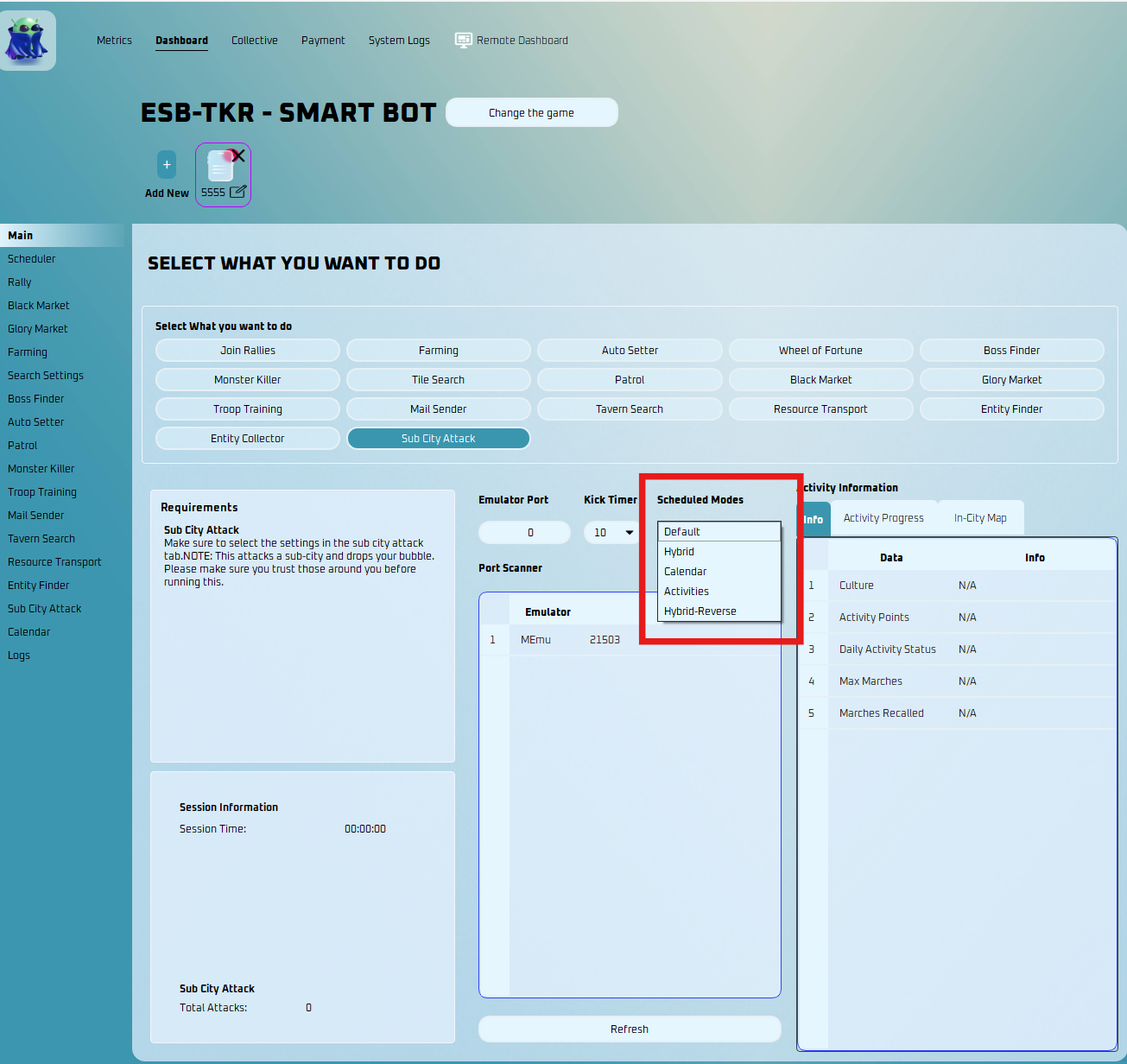
Scheduled Modes
- Default - the original ESB way. Leave it if you don't want to mess with setting up times.
- Hybrid - Runs the main jobs from the Main page, but will run activities from the times in the Calendar.
- Calendar - Runs main jobs and activities from the Calendar.
- Activities - Runs only activities selected on profile tab.
- Hybrid Reverse - Runs only the main tasks in Calendar, but runs the activities as normal.
Calendar Settings
- You must go to the Calendar Settings tab to adjust the settings.
Add New Event
Main Jobs
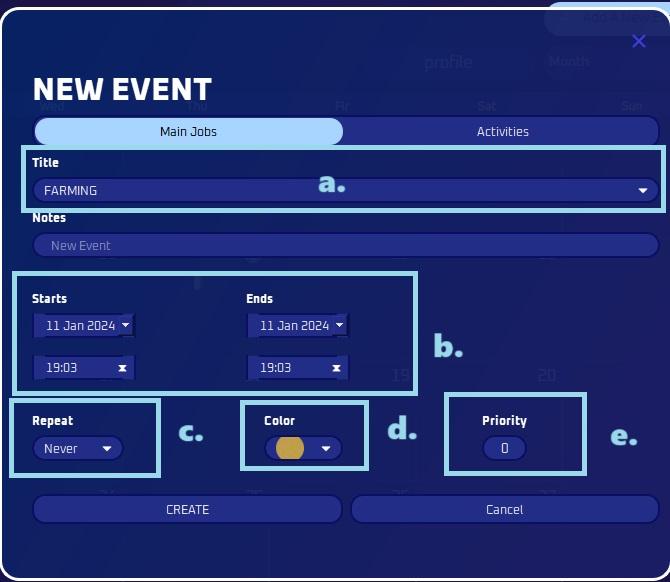
- Title
- Pick the Mode you wish to add.
- Time
- Select the preferred start and end time for doing this mode.
- Repeat
- Opt for this selection if you wish to repeat this action on a daily, weekly, or monthly basis.
- You can also customize it to your preference.
- Color
- Personalize the appearance by selecting a color to easily distinguish an activity and make it easily recognizable.
- Priority
- Choose the priority level here.
- Title
Activities
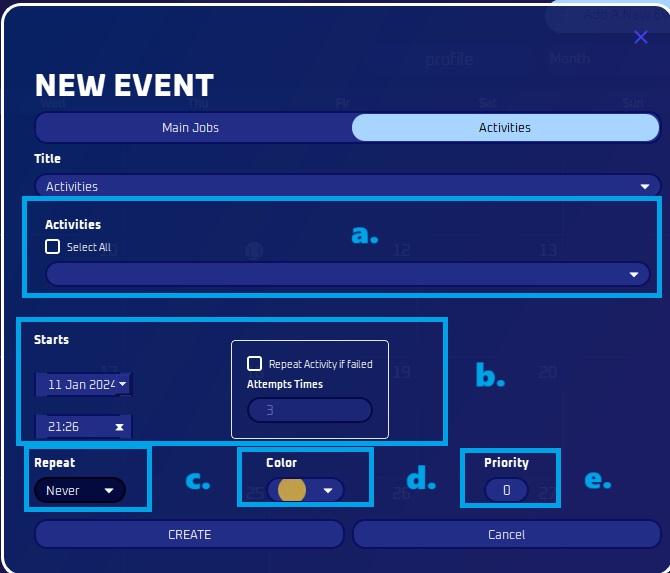
- Activity
- Pick the Activity you wish to add.
- You also have the option to select all.
- Time
- Select the preferred start and end time for doing this mode.
- Repeat activity if failed means the bot will attempt the task again if it runs into an error or doesn't complete successfully.
- Repeat
- Opt for this selection if you wish to repeat this action on a daily, weekly, or monthly basis.
- You can also customize it to your preference.
- Color
- Personalize the appearance by selecting a color to easily distinguish an activity and make it easily recognizable
- Priority
- Choose the priority level here. This is in case for duplicate events that might overlap.
- Activity
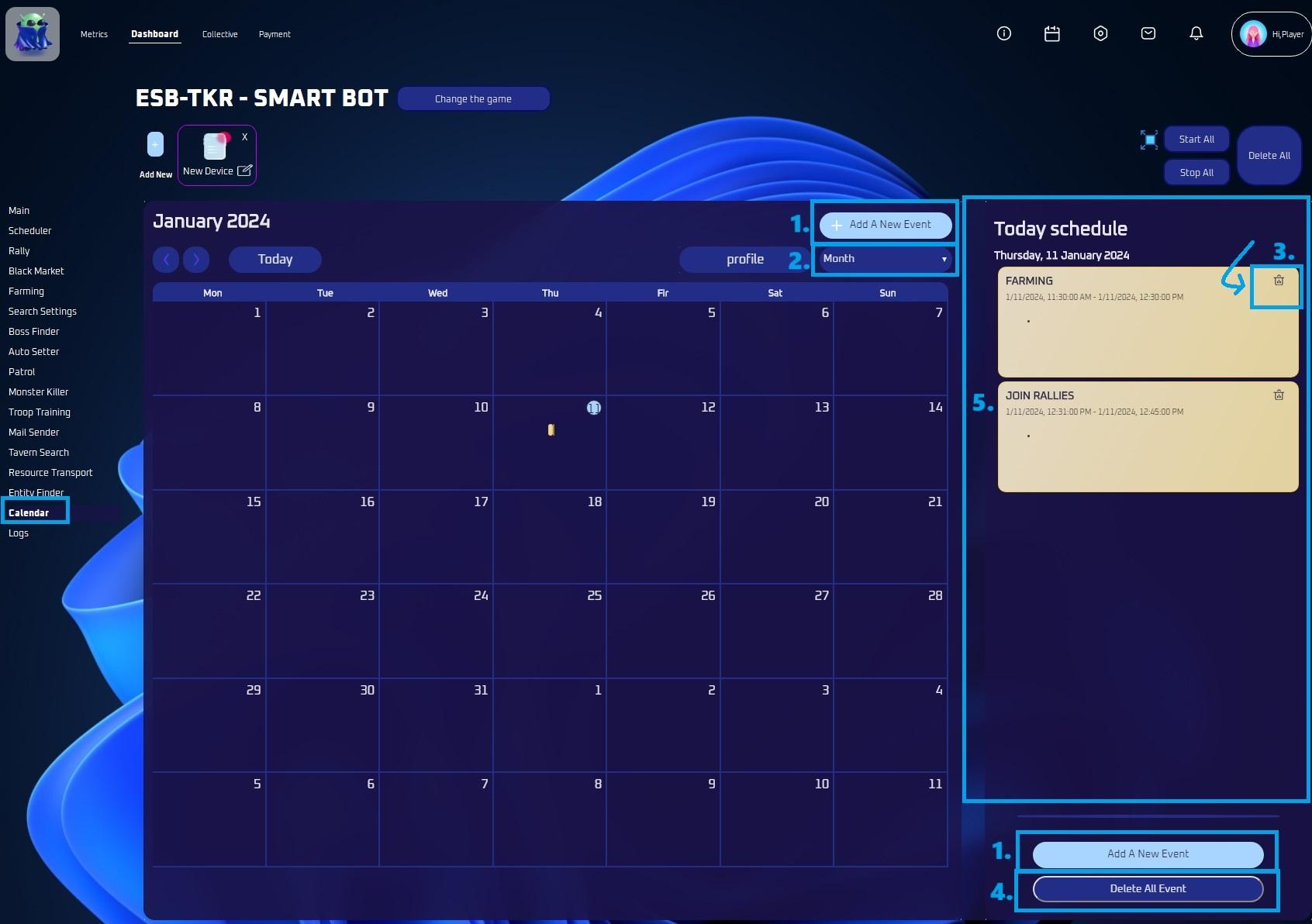
View
- You can customize the view here, choosing between monthly, weekly, or daily options.
Delete an Activity
- You can delete a specific activity here.
Delete All
- Pressing this button allows you to delete all activities for today.
Today’s Schedule
- Here, you can view a list of all activities scheduled today.
Note
Simply click the button in the upper right corner to easily navigate to your calendar.