






Emulator Guides
REVERT Game Version
Revert Game to a previous Version This guide is to help you easily revert to a previous version using a built-in tool provided by ESB. Notes 1. Works on…
Bu rehber henüz Türkçe diline çevrilmedi, bu yüzden İngilizce gösteriliyor.
Revert Game to a previous Version
This guide is to help you easily revert to a previous version using a built-in tool provided by ESB.
Notes 1. Works on MuMu Player 2. Works on Bluestacks 3. Works on 64-bit MEmu only. 32-bit could not work, unfortunately.
Firstly, it is extremely important you disable auto updates on google play, otherwise it will just undo the revert:
Turn Off Auto-Updates for All Apps
- Open the Google Play Store app on your phone.
- Tap your profile icon in the top-right corner.
- Tap Settings.
- Tap Network preferences to expand the menu.
- Tap Auto-update apps.
- Choose Don't auto-update apps and tap Done. [1]
How to Revert:
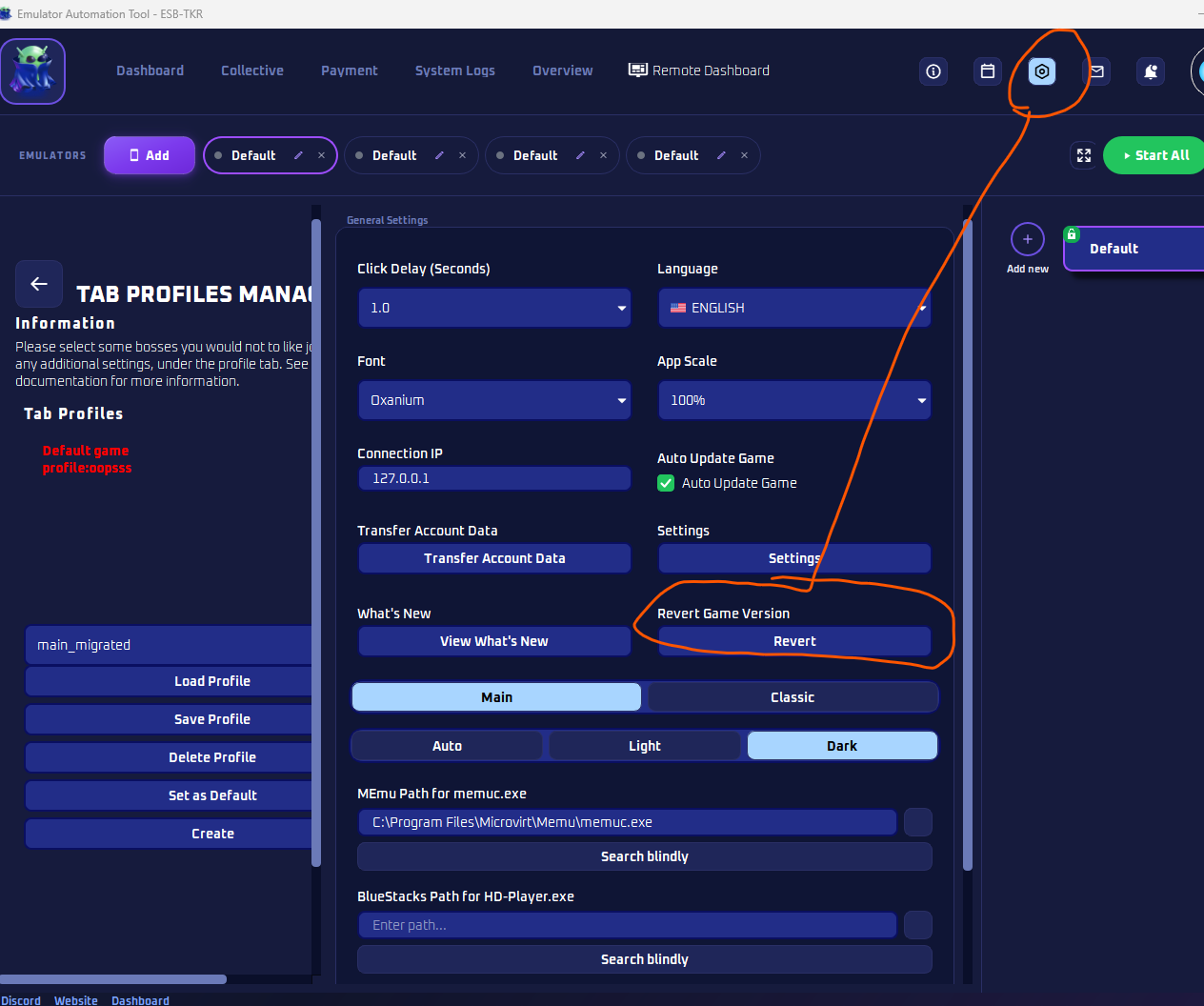
1. Go to "Admin" Page in ESB
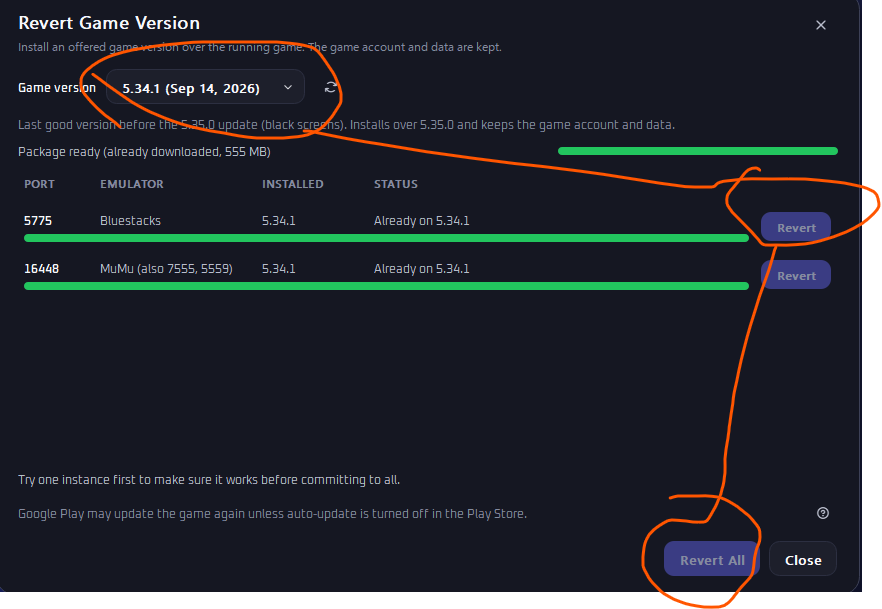
2. Pick a version and press Revert. Can use Revert All if having a lot of accounts. I recommend testing ONE to make sure it works and your data is kept.
Thats it!