






Getting Started
How to Pay
Renew, upgrade or add plugins to your ESB service, then choose a billing plan and payment method to complete the purchase.
이 가이드는 아직 한국어로 번역되지 않아 영어로 표시돼요.
이 페이지에서
Payment Instructions
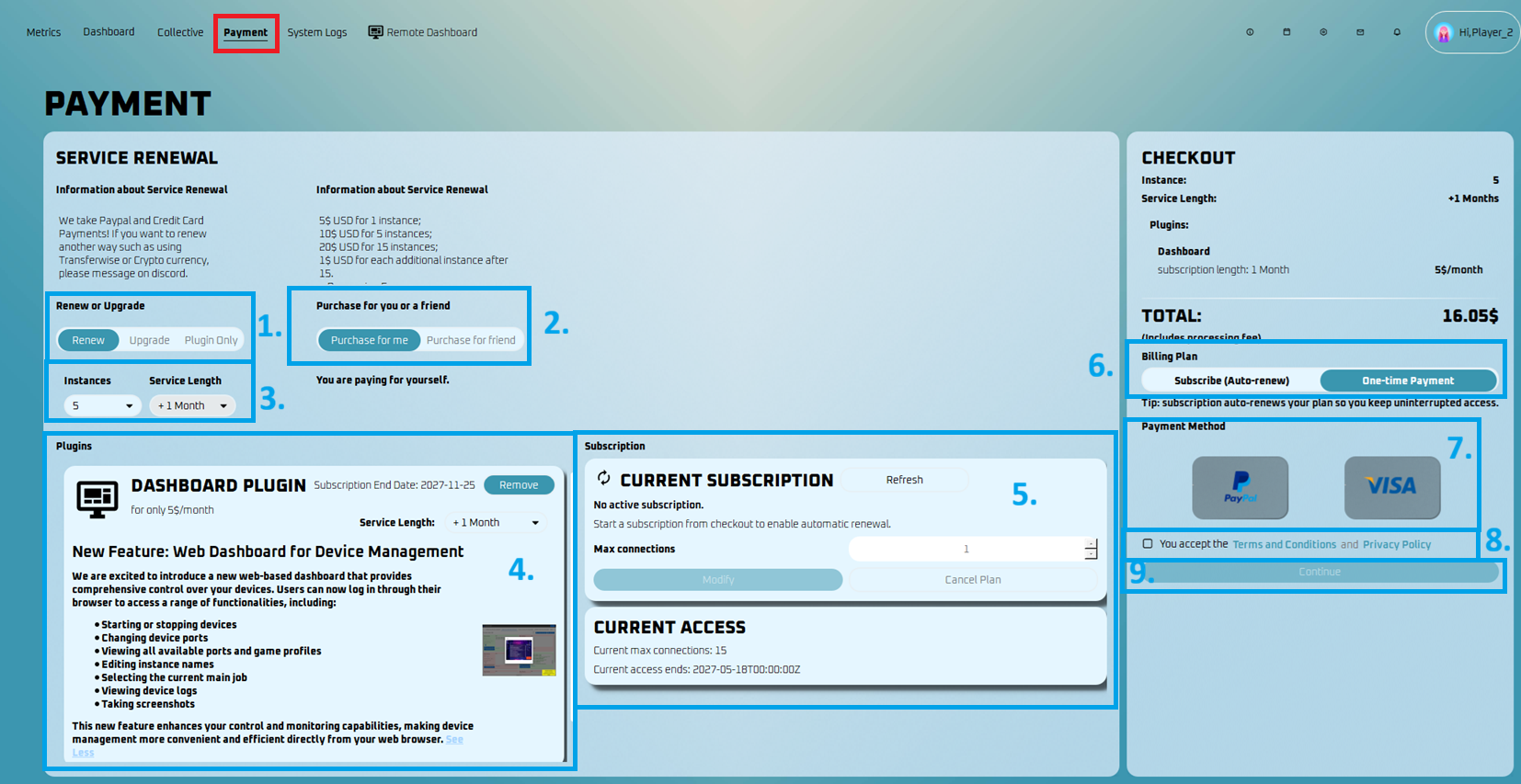
- Upgrade, Renew, or Plugin Only
- Renew – Extend your current service by adding more months.
- Upgrade – Increase the number of instances. Your service must have 15 days or more remaining to upgrade.
- Plugin Only – Purchase or renew plugins without changing your main service plan.
- Purchase for you or a Friend
- Choose to pay for yourself or a friend. If paying for a friend, ask for their username.
- Service Renewal or Upgrade Options:
- Select the amount of instances and the duration in months that you would like to purchase.
- Plugins
- Add optional features such as the Dashboard Plugin.
- This plugin has a separate monthly subscription.
- Current Subscription
- Shows your active subscription details if you have one.
- You can refresh, modify, or cancel your subscription here.
- If canceled, auto-renew stops but the service remains active until the current end date.
- Billing Plan
- Choose between:
- Subscribe (Auto-renew) – Your service renews automatically each billing cycle.
- One-time Payment – Your service will not auto-renew.
- Choose between:
- Payment Method
- Pick either Paypal or Credit Card or Google Play payment.
- Terms and Conditions:
- Accept the terms and conditions
- Paying:
- To finalize your payment, click the continue button.
Note
Thank you for your continuous support! We are delighted to unveil our new UI and appreciate your ongoing commitment. Every payment contributes to making our tool even better.