






Automation Modes
Scheduler Guide
Use the Scheduler tab to check march status, the event period, the activity log and the list of unplanned activities.
이 가이드는 아직 한국어로 번역되지 않아 영어로 표시돼요.
이 페이지에서

How to Use
Follow the steps below to understand and take advantage of this mode.
Scheduler Settings
- You must go to the Scheduler tab to adjust the settings.
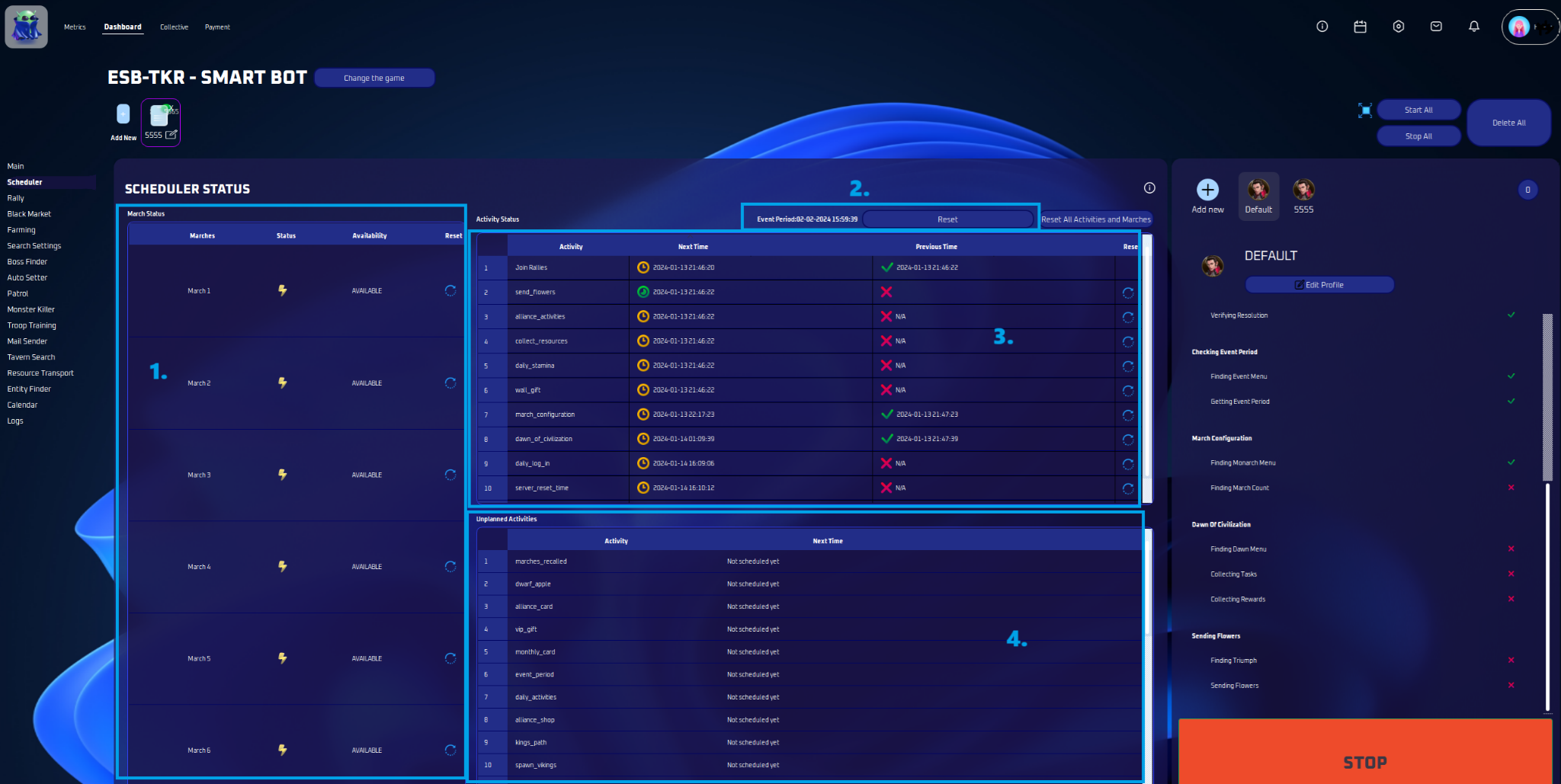
March Status
- Check the status of your marches here— whether they’re available or when they’ll be. Plus, reset them easily from this spot.
Event Period
- The event period is displayed here. If you want to recheck, simply click ‘Reset’.
Activity Status
- This is your activity log — find out when things happened and when they’ll happen next. Want to do one again? Just hit ‘Reset’.
Unplanned Activities
- This is a list of activities that are not scheduled to be done.