







Automation Modes
Tavern Search Guide
Tavern Search mode refreshes the tavern and recruits the generals you select.
本指南尚未翻译为中文 (简体),因此以英文显示。
本页目录

How to Use
Follow the steps below to understand and take advantage of this mode.
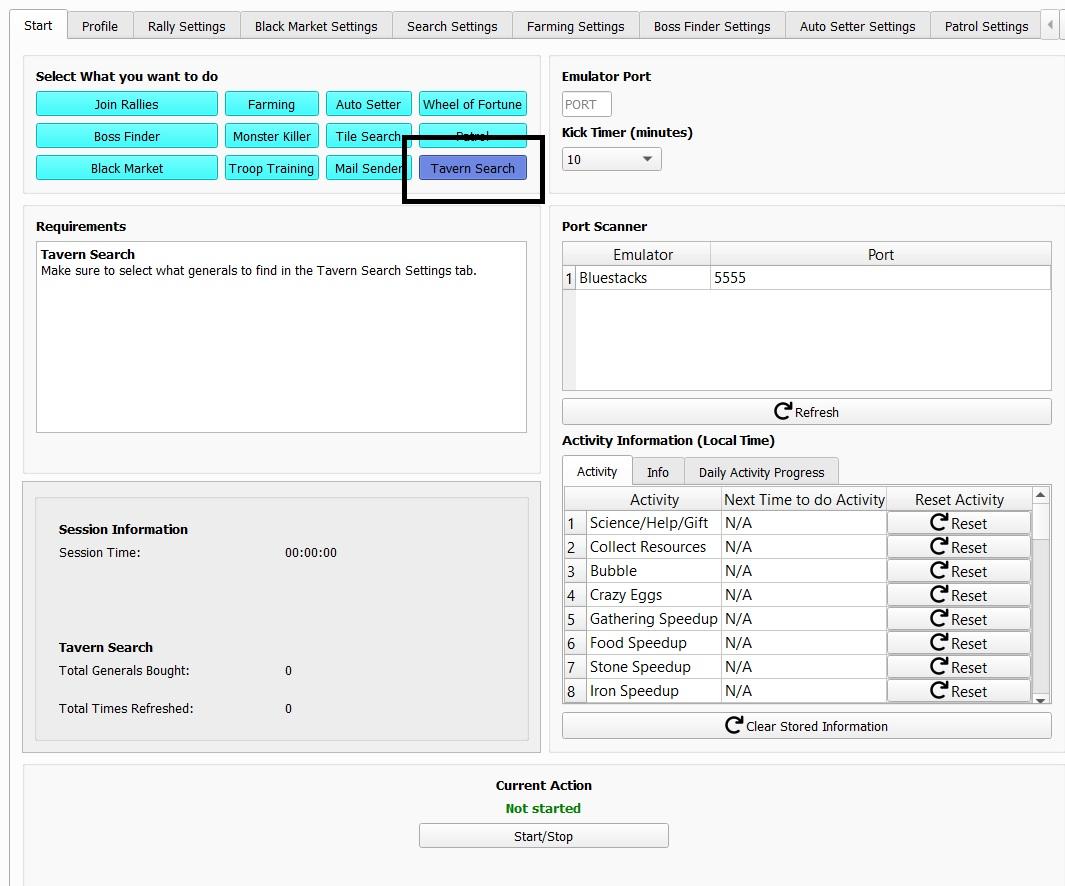
Mode
Select the Tavern Search mode here.
Tavern Search Settings
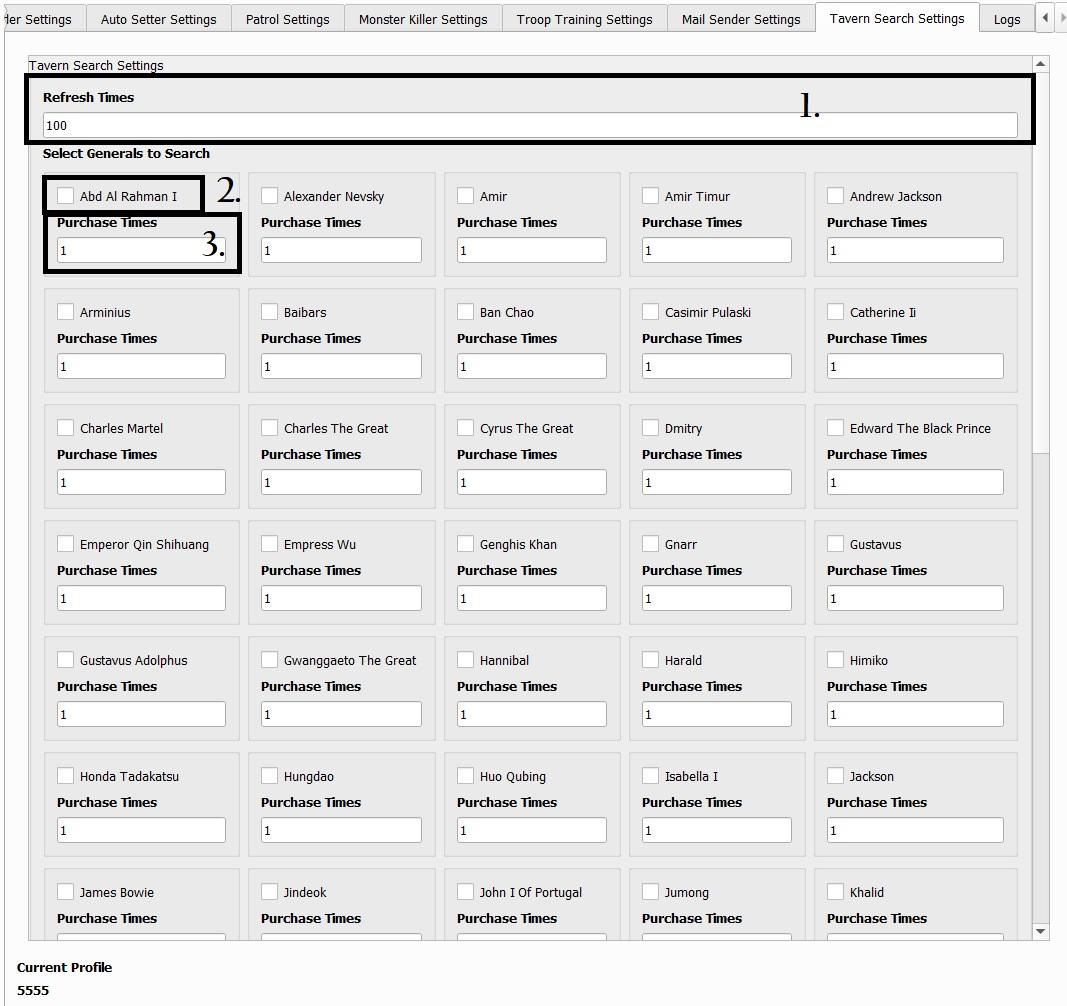
- Refresh Times
- Amount of times it will refresh.
- Select Generals to Search
- Select the general you want to search in the tavern.
- Purchase Times
- Amount of times it recruits the general you selected.
- Refresh Times