







Automation Modes
Monster Killer on Auto Setter Guide
Kill monsters with Auto Setter by pulling monster locations from iScout through the collective.
本指南尚未翻译为中文 (简体),因此以英文显示。
本页目录

How to Use
Follow the steps below to understand and take advantage of this mode.
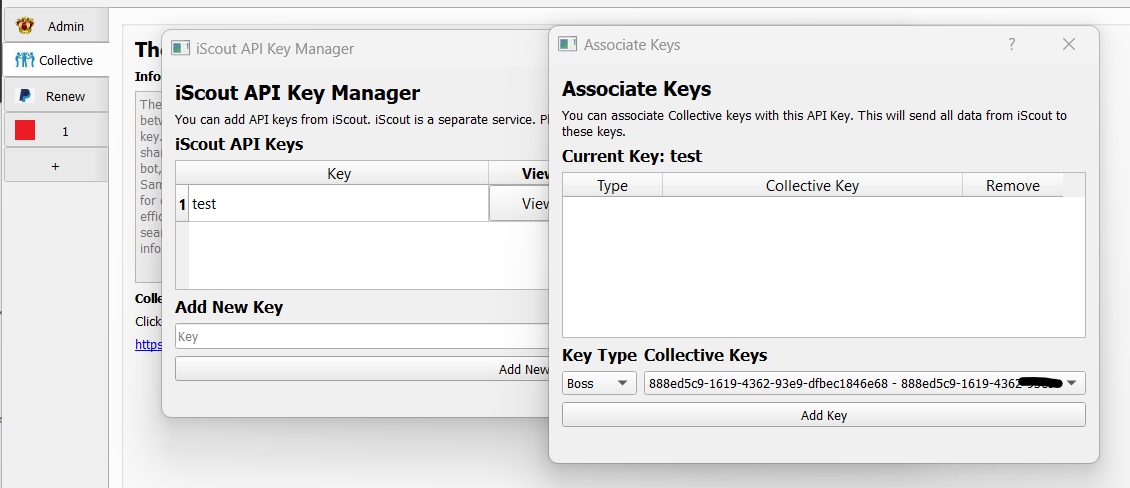
Go to Collective, and click iScout Manager. Make sure you have already set your API and Associate entity Key. More information here: External Resources.
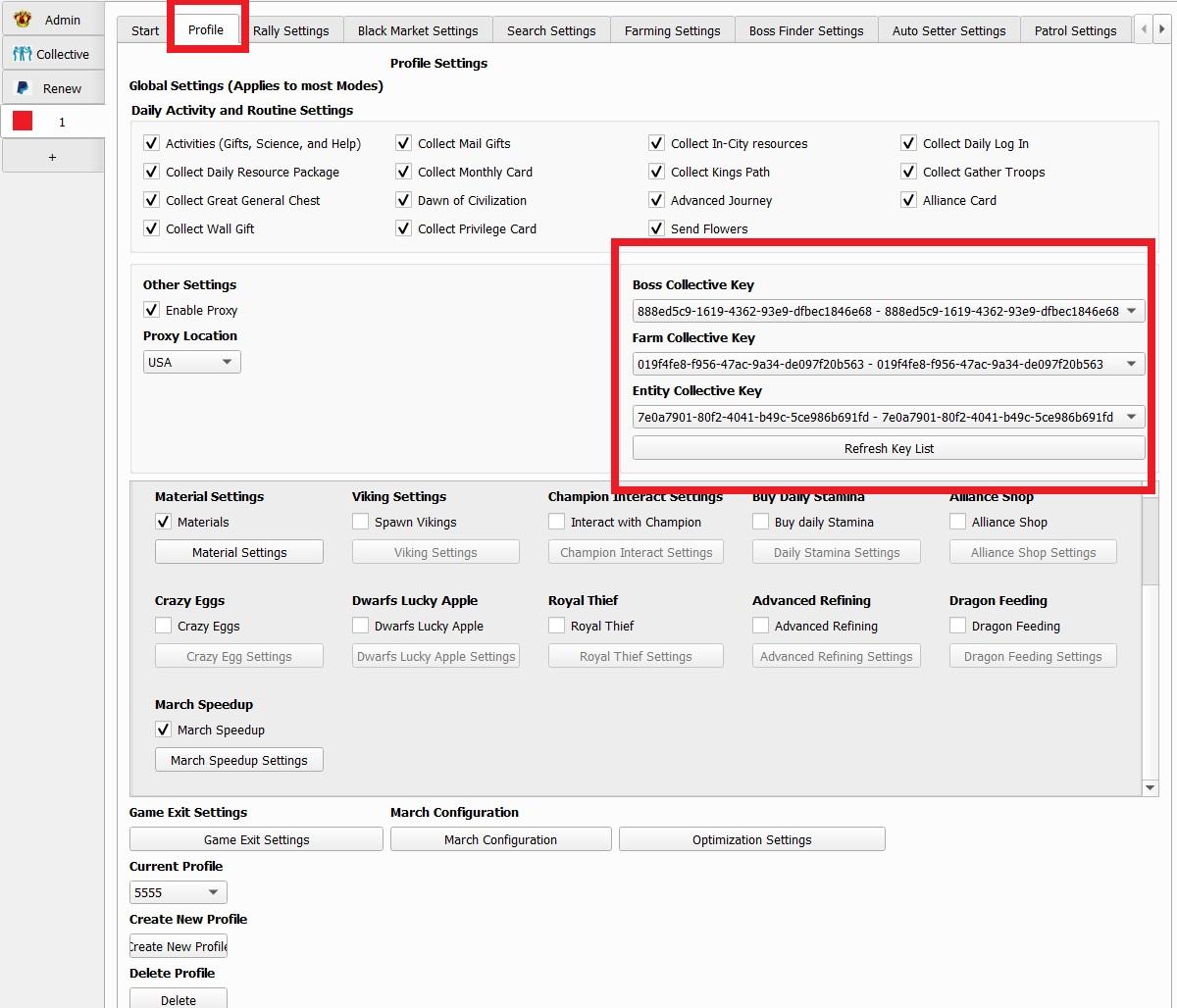
Pick this key on profile.
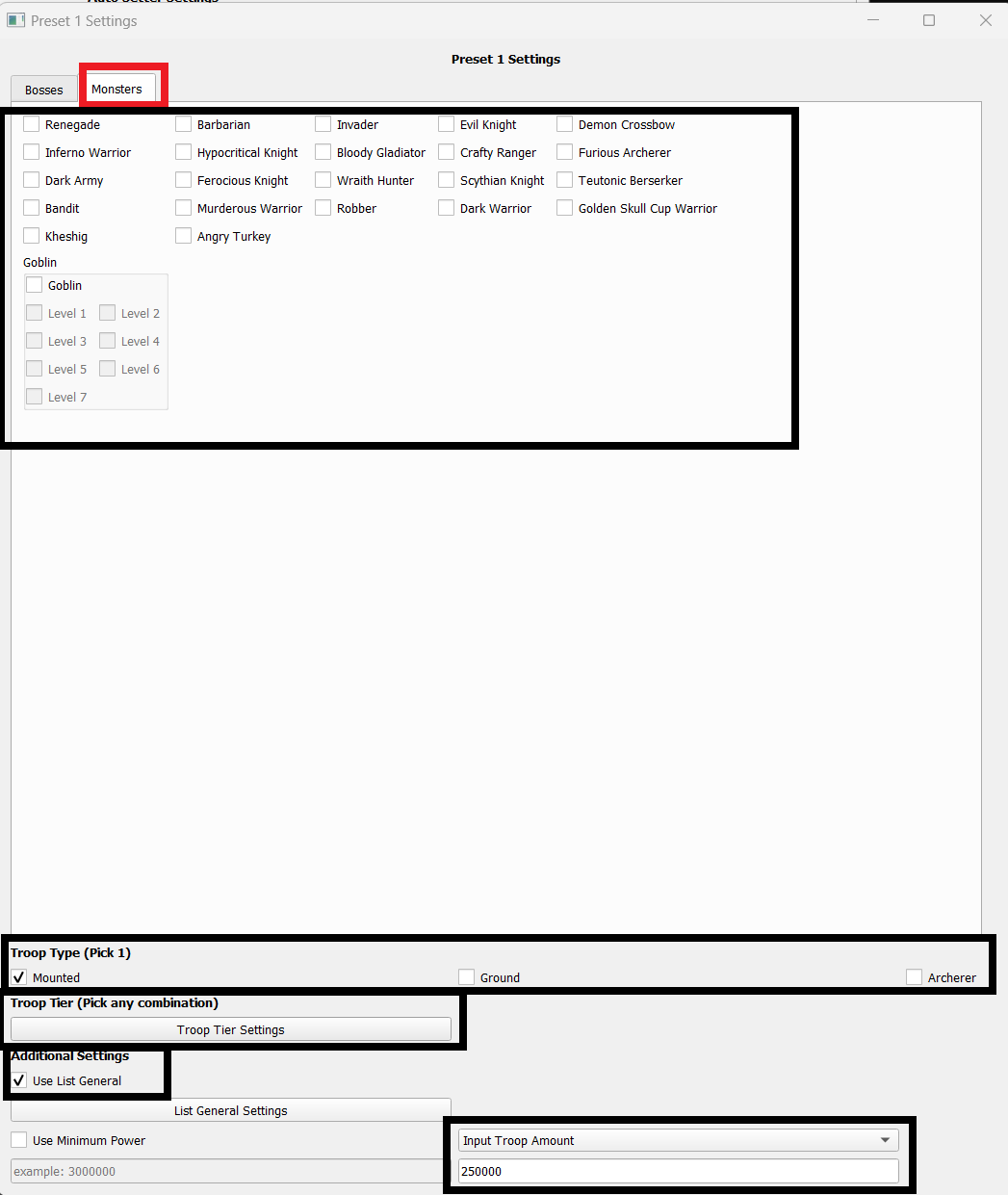
Pick the monsters you want to kill.
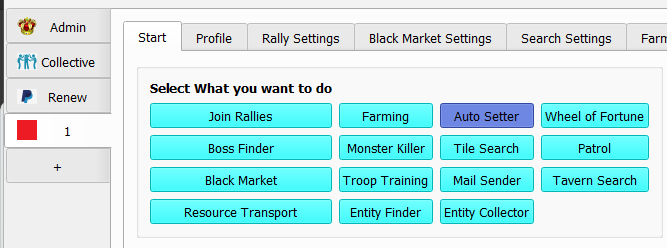
Pick Auto Setter on the Main Menu.
On Autosetter Settings have Retrieve from Collective checked. Then pick the Monsters you want to kill. troop tier, troop type and amount of troops you want. More info on Auto Setter Guide.
Now you’re all set!