







Getting Started
How to Make Multiple Instances
Open extra bot tabs and create fresh emulator instances so you can run multiple accounts at the same time.
本指南尚未翻译为中文 (简体),因此以英文显示。
本页目录
How to Use
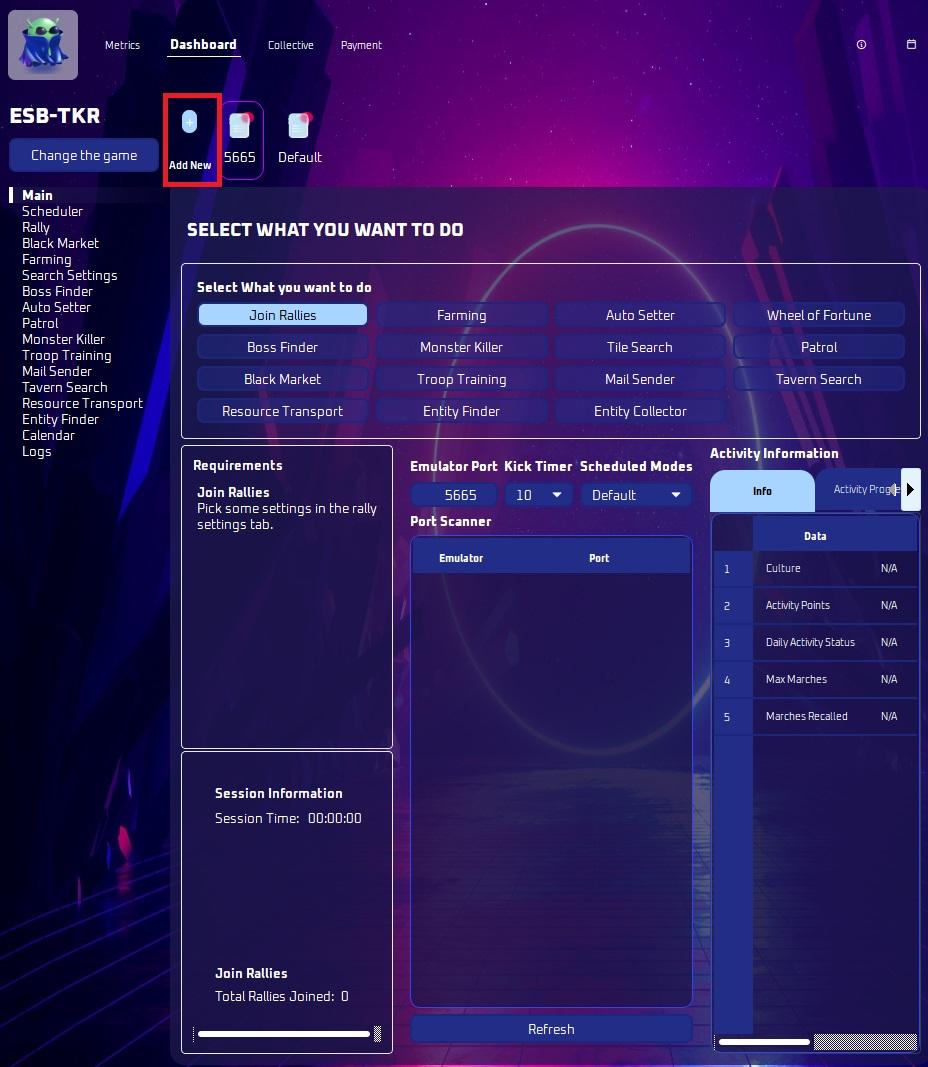
If you have purchased multiple instances, you will be eligible to open up more tabs. This allows you to run multiple accounts at once! Great for farming and growing!
Click “add new” to add a new device or instance. Note that if you try to open more tabs than you are eligible for, your request will be denied.
Create multiple instances of your emulator and manage them easily using the Multi-instance Manager.
Open your emulator’s Multi-instance Manager.
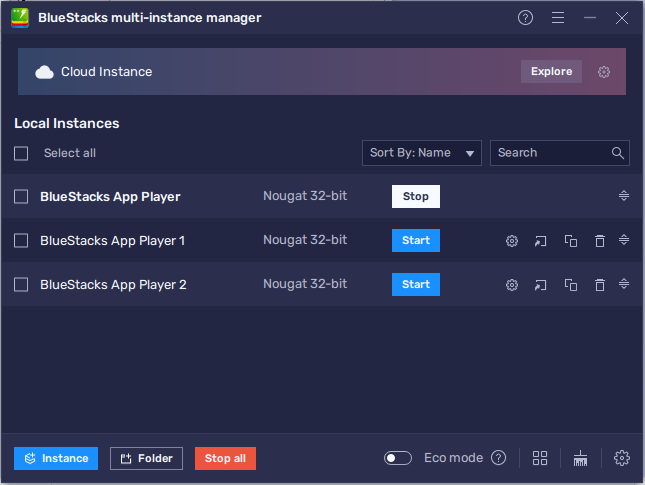
Click on the "Instance" button on the Multi-instance Manager window.
Click create fresh instance. Please don’t clone an instance as this creates issues.
Now, log in to your account and switch accounts in game. Just like what you do in a game on your phone.
In the bot, enter the port number for a different instance. Each instance has its own number. If you forgot, follow the appropriate guide for the emulator you chose:
Hit start. Everything runs independently. Profiles, and bot tabs. You can manage everything here and run it in the background.
Note
Additional information available here:
Important
Reminder: Always make a fresh instance, not clone.