







Automation Modes
Glory Market Guide
Refresh the Glory Market and buy selected items automatically by setting the refresh amount and the items to purchase.
本指南尚未翻译为中文 (简体),因此以英文显示。
本页目录

How to Use
Follow the steps below to understand and take advantage of this mode.
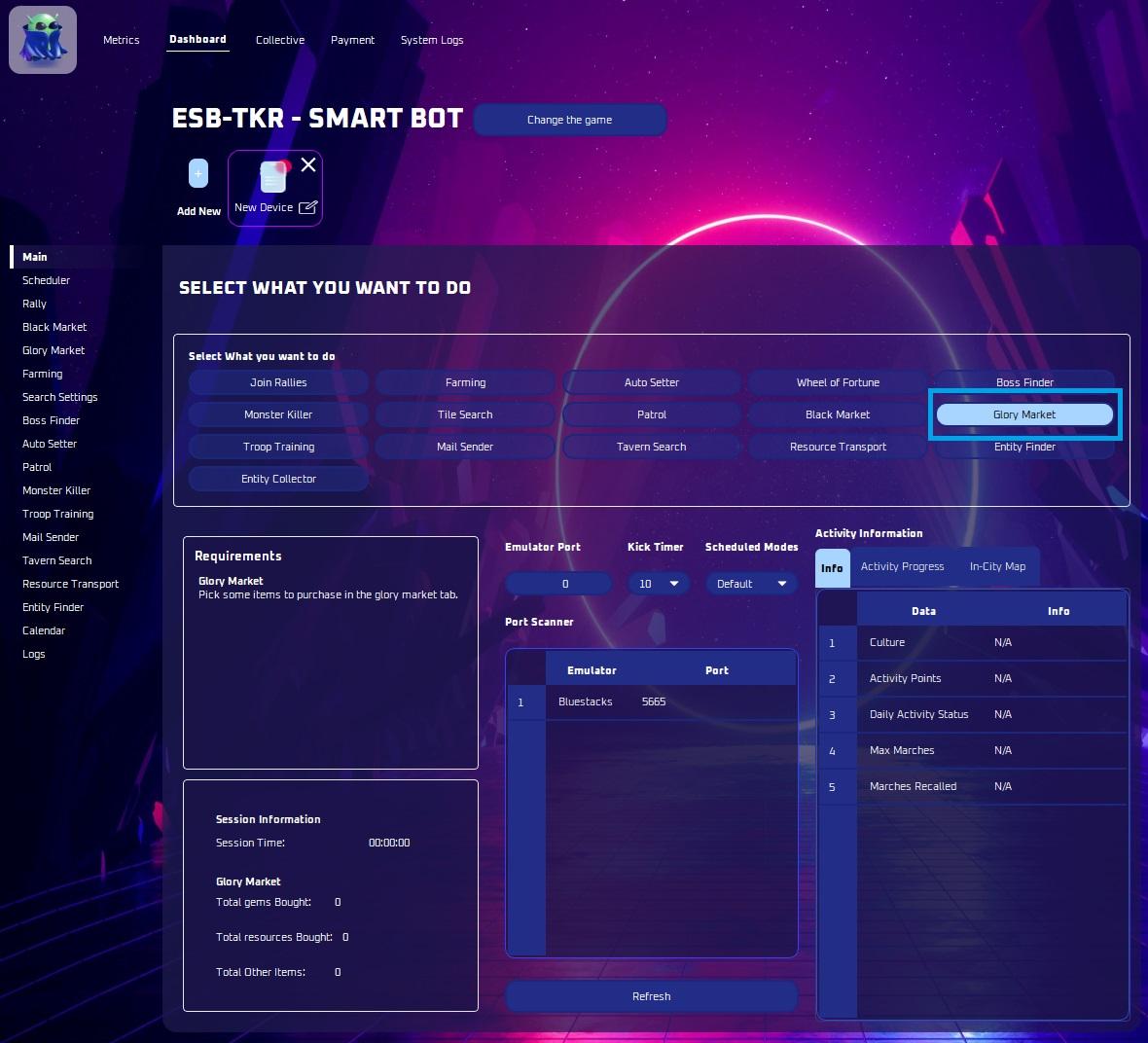
Mode:
- Make sure to select the “Glory Market” Mode as labeled in the photo above.
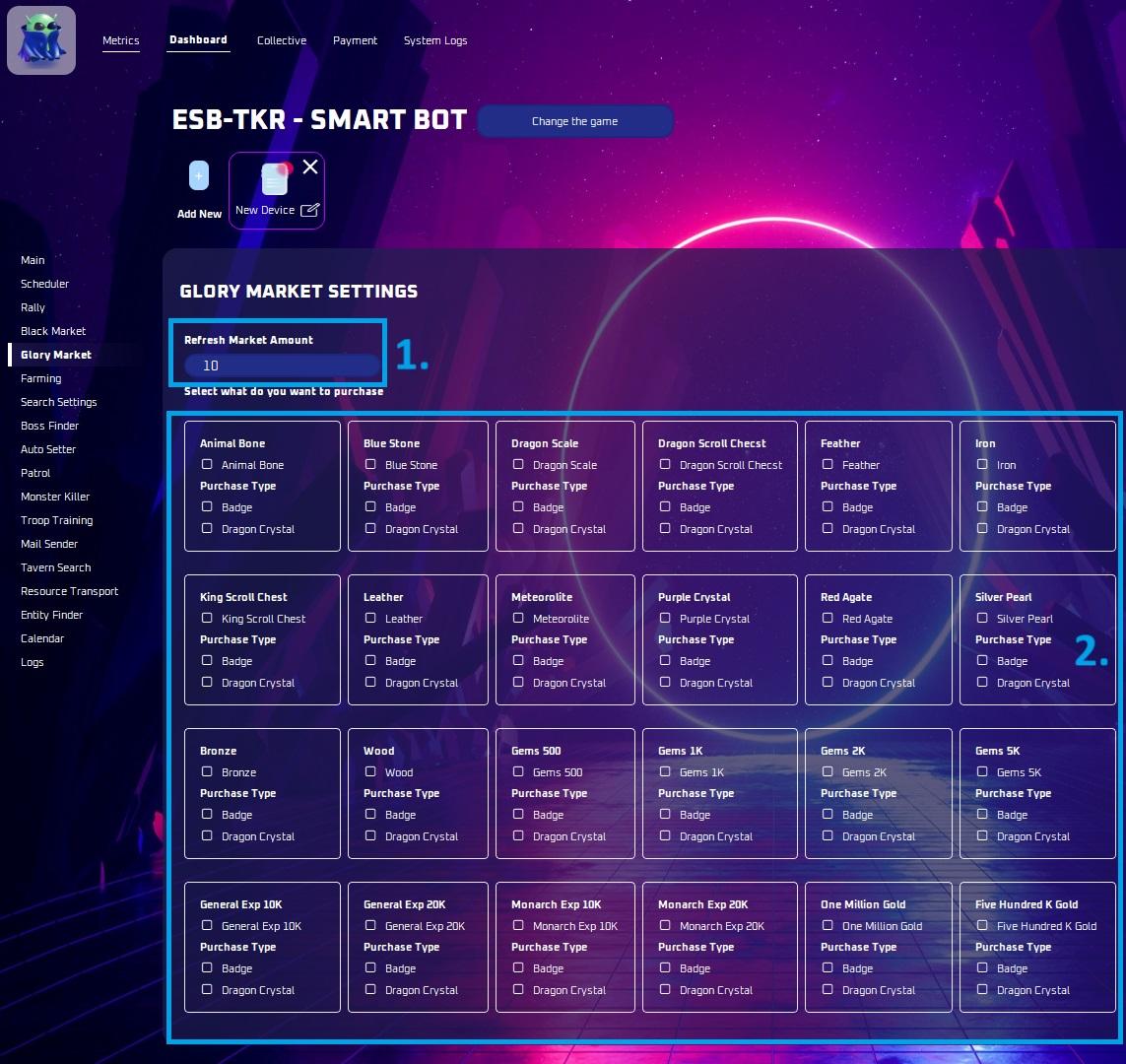
Refresh Market Amount
- The amount of times you wish the glory market to refresh and search for items.
Items you want to purchase:
- Select the items you wish to purchase here.
Note
Open the glory market menu or let the bot find it.