


Перейти к содержимому

Getting Started

Disable Play Store Auto-update

Turn off automatic app updates in the Google Play Store so Evony updates do not break the bot.

update getting-started

Original Обновлено 1 мин чтения

Это руководство ещё не переведено на Русский, поэтому оно показано на английском.
Disable Play Store Auto-update screenshot 1

  1. Open the Google Play Store on the device, and then click the Google Profile icon.
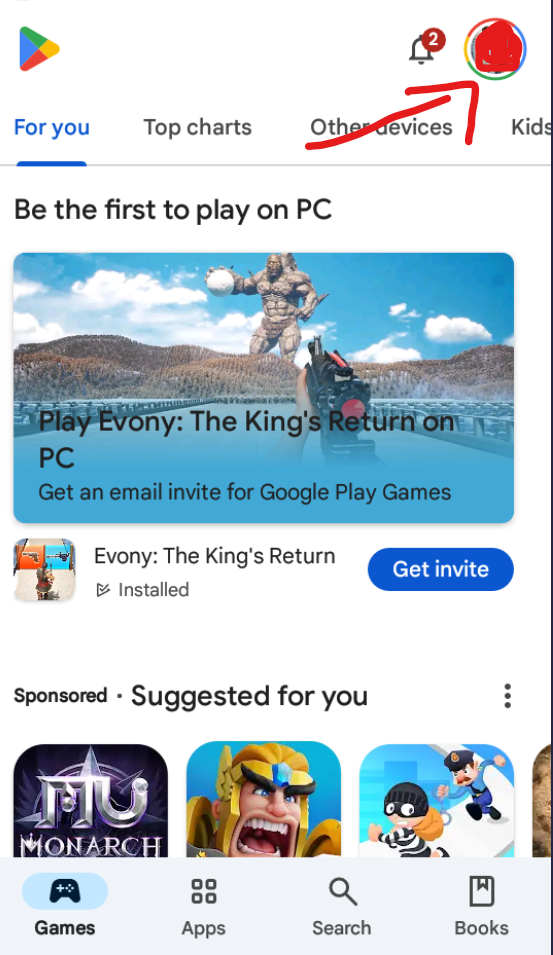
    Google Play Store with the profile icon

  2. Scroll down to find the "Settings" option and click on it.
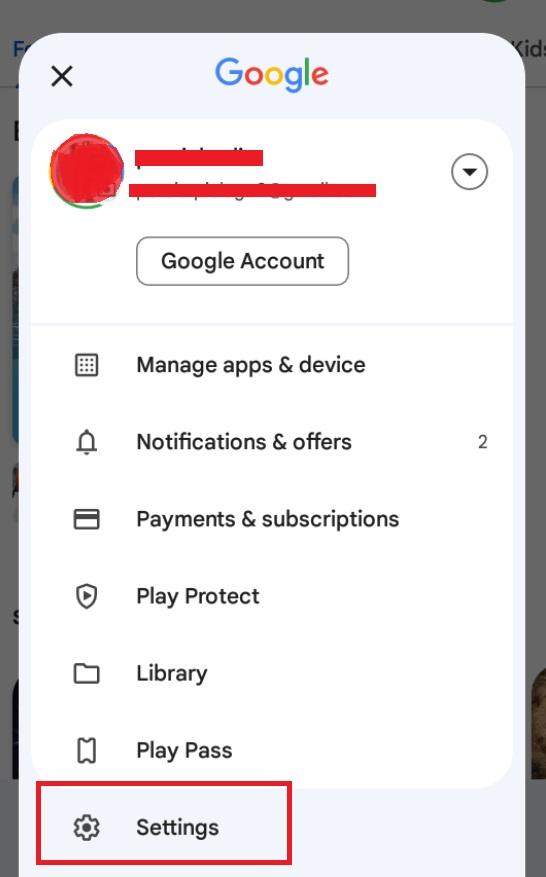
    Play Store profile menu with the Settings option

  3. You will see the "Network Preferences" tab in the settings list. Click it.
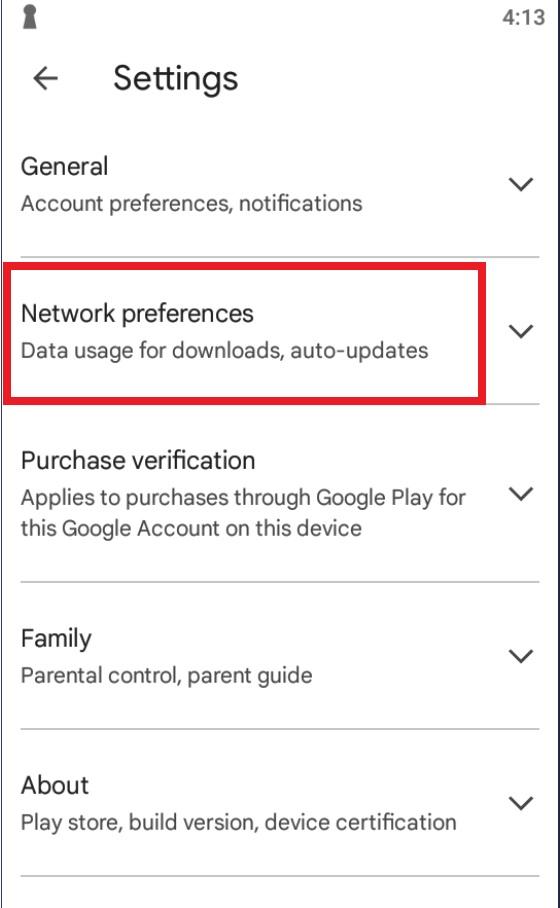
    Play Store settings list showing Network Preferences

  4. Click Auto-update Apps, and pick do not update.
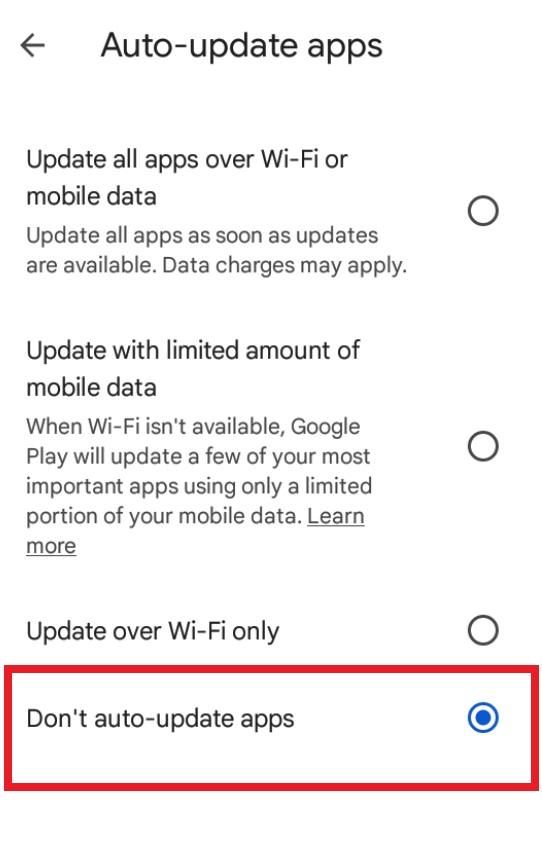
    Auto-update apps option set to do not update

Была ли эта страница полезна?

Попробуйте на своём устройстве

Создайте бесплатный аккаунт, скачайте приложение и следуйте этому руководству. Пробный период начнётся сразу.