







Automation Modes
Sub City Attack Guide
Sub City Attack mode attacks a sub-city at the coordinates you set with the preset you choose, for a set number of attacks.
Это руководство ещё не переведено на Русский, поэтому оно показано на английском.
На этой странице
How to Use
Follow the steps below to understand and take advantage of this mode.
Mode:
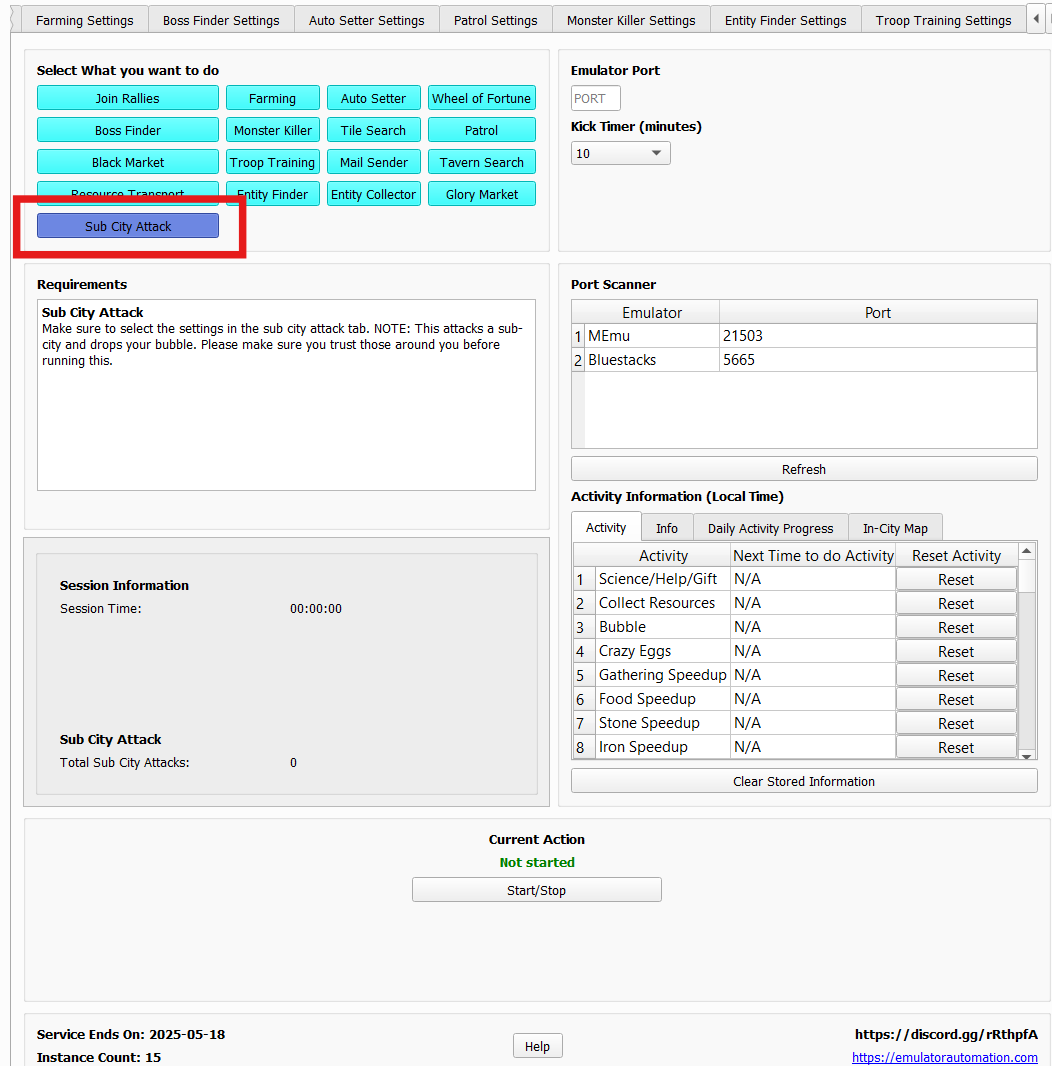
- Make sure to select the “Sub City Attack” Mode as labeled in the photo below.
Sub City Attack Settings:
- You must go to the Sub City Attack Settings tab to adjust the settings.
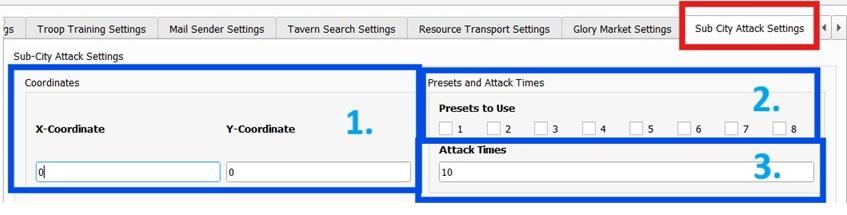
- Sub-City Coordinates:
- Select the coordinates of the sub-city to target for attacks.
- You should probably teleport next to one to attack faster.
- Preset to Use:
- Choose the preset you wish to use for attacking a sub-city.
- Number of Attacks:
- Set the number of times the attack will occur.
Note
Please make sure you trust those around you as this drops your bubble!