






Remote Dashboard
How to Pay
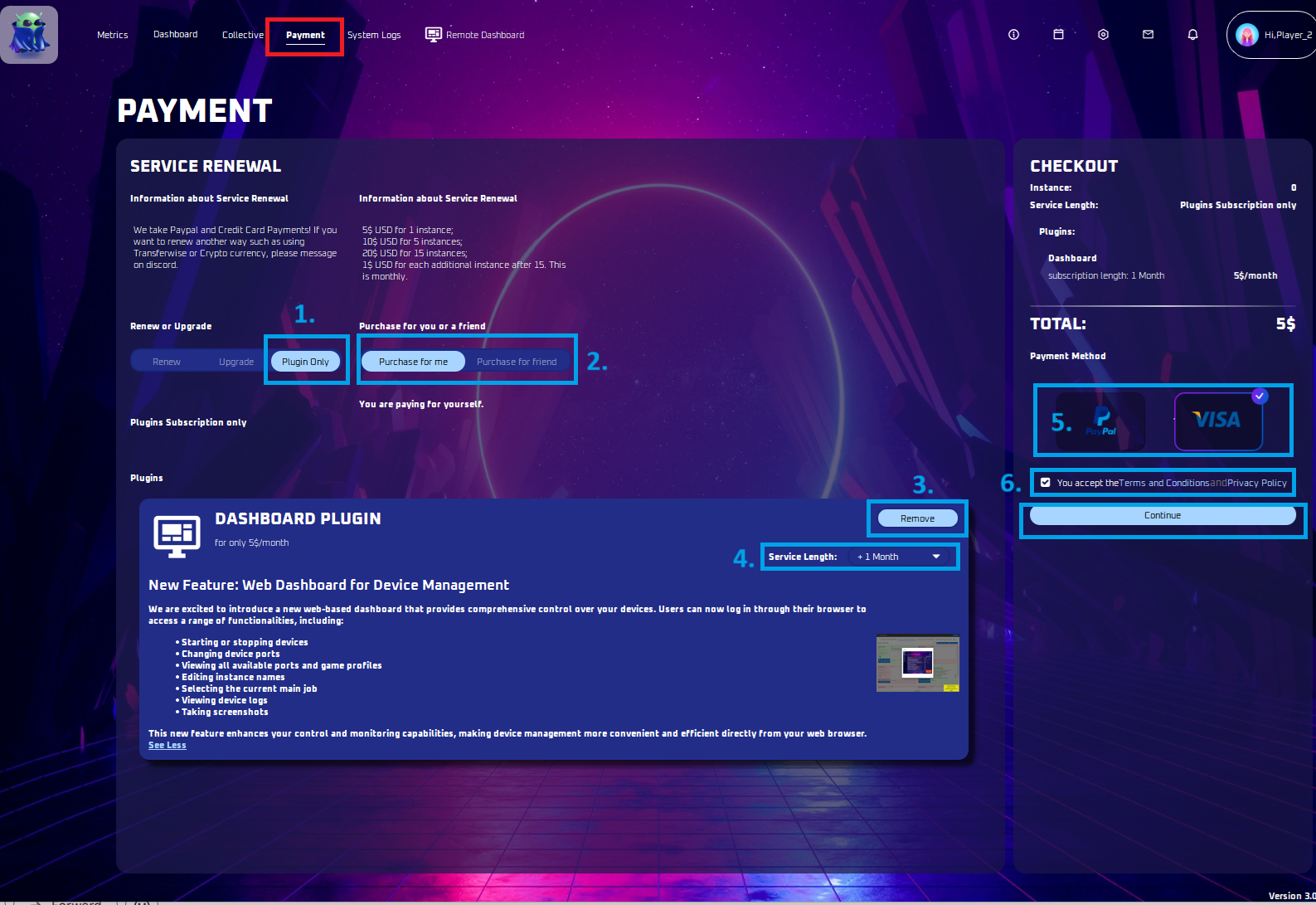
Add the Remote Dashboard plugin to your subscription: choose Plug-in only, the service length and a payment method.
Diese Anleitung ist noch nicht auf Deutsch übersetzt und wird deshalb auf Englisch angezeigt.
Auf dieser Seite

Payment Instructions
Plug-in Only
- Pick Plug-in only to add the remote dashboard.
Purchase for you or a Friend
- Choose to pay for yourself or a friend. If paying for a friend, ask for their username.
Remove / Add:
- Choose 'Add' to enable the remote dashboard, or 'Remove' if you don’t want it.
Service Length
- Choose the duration of your Remote Dashboard subscription in months.
Payment Method
- Pick either Paypal or Credit Card or Google Play payment.
Terms and Conditions:
- Accept the terms and conditions
Paying:
- To finalize your payment, click the continue button.