







Getting Started
Account Transfer Guide
Move an Evony account from one emulator instance to another with the Admin tab's Transfer Account Data tool.
Este guia ainda não foi traduzido para Português, então é exibido em inglês.
Nesta página

Requirements
- Create new instances in your emulator’s Multi-Instance Manager.
- Make sure both source and target instances exist and are running.
- Run ESB as Administrator to avoid permission issues.
Steps
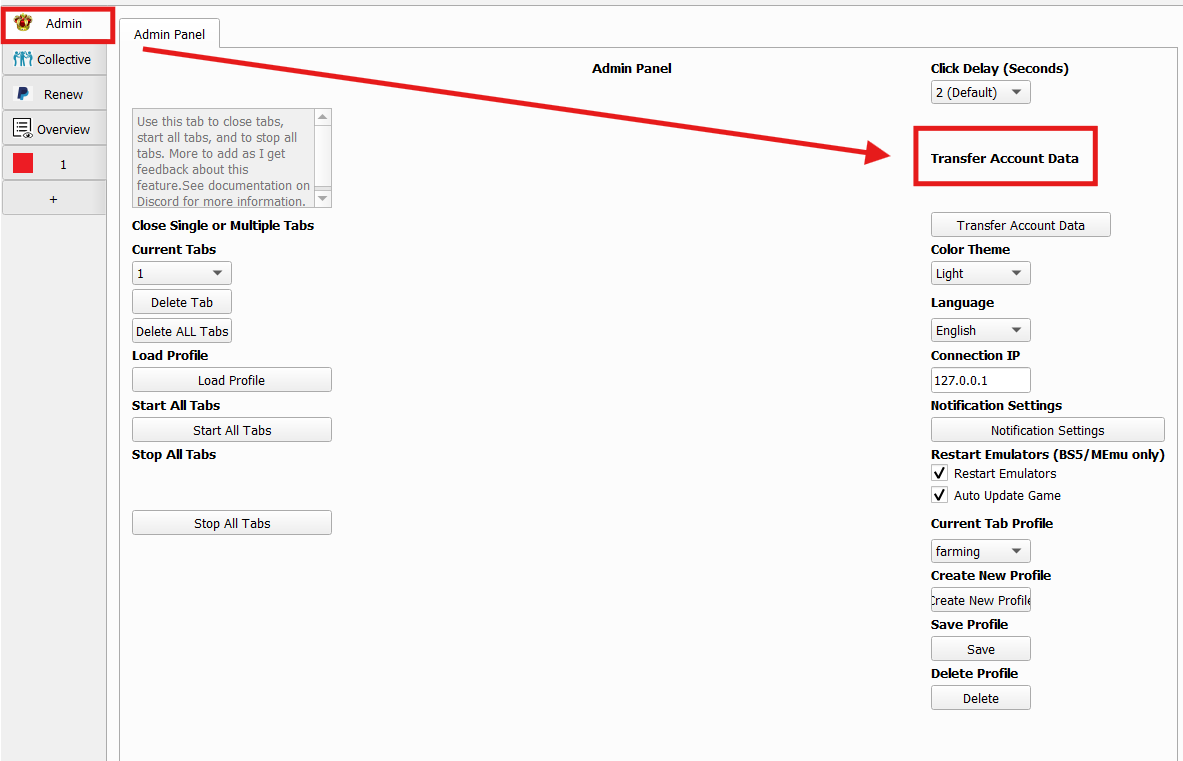 1. Open Transfer Account Data
Click the Admin tab on the left, then select Transfer Account Data.
1. Open Transfer Account Data
Click the Admin tab on the left, then select Transfer Account Data.
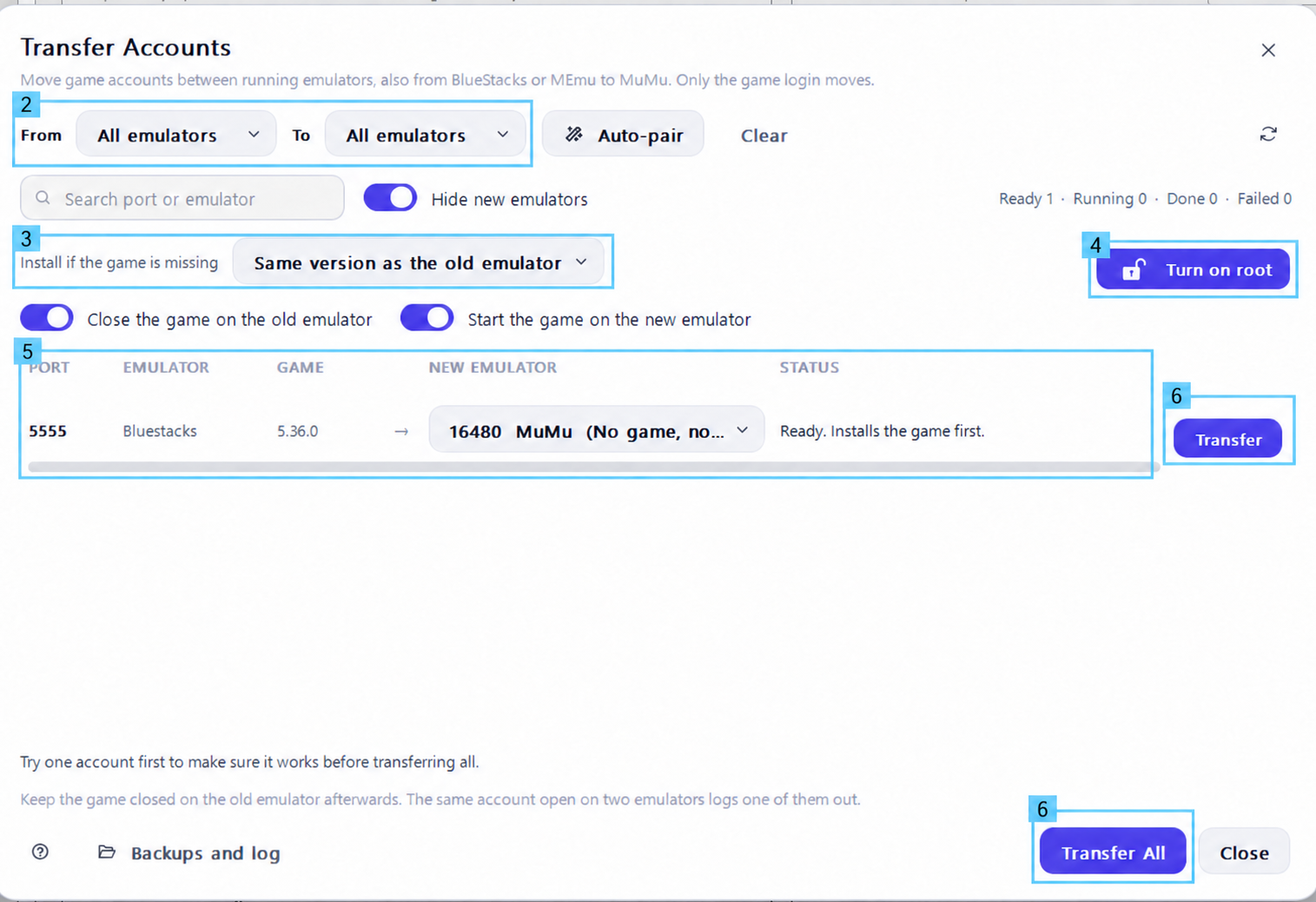 2. Select Emulators
Use From to filter the source emulator and To to filter the target emulator, or leave both on All emulators.
2. Select Emulators
Use From to filter the source emulator and To to filter the target emulator, or leave both on All emulators.
3. Choose the Game Installation Option Under Install if the game is missing, select Same version as the old emulator to install the matching version if the target has no game installed.
4. Turn On Root — BlueStacks Only If prompted, click Turn on root to allow access to the account data. This button disappears once root is enabled, so skip this step if already rooted.
5. Pair the Source and Target Find the instance that currently has your account on the left. Under New Emulator, choose the instance you want to transfer to. Double-check that the source → target pairing is correct. Example: BlueStacks (port 5555) → MuMu (port 16480).
6. Start the Transfer Click Transfer beside the pair, or Transfer All for all configured pairs. We recommend testing one account first. Wait until the status confirms the transfer is complete.
Note
- Only the game login moves—not the entire emulator.
- Close the game on the old emulator automatically closes the source game.
- Start the game on the new emulator automatically launches the target game.
- Instances may open or close during the process.
- Keep the game closed on the old instance afterward. Opening the same account on both instances will log one out.
- BlueStacks must support root access. Previously tested working versions: 5.22.102 and below. If root cannot be enabled, install the game on the new instance and log in manually.