Getting Started
Disable Play Store Auto-update
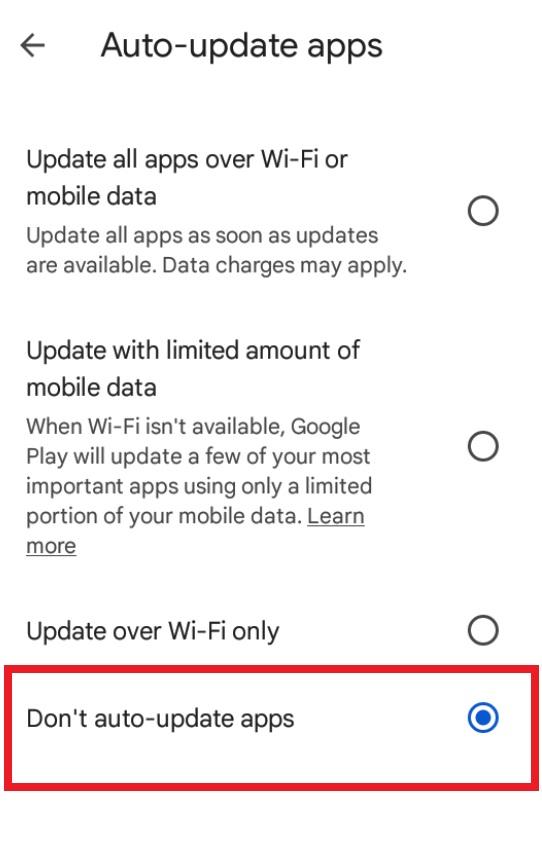
Turn off automatic app updates in the Google Play Store on your emulator so the game is not updated unexpectedly.
このガイドはまだ日本語に翻訳されていないため、英語で表示しています。
このページの内容
Step 1
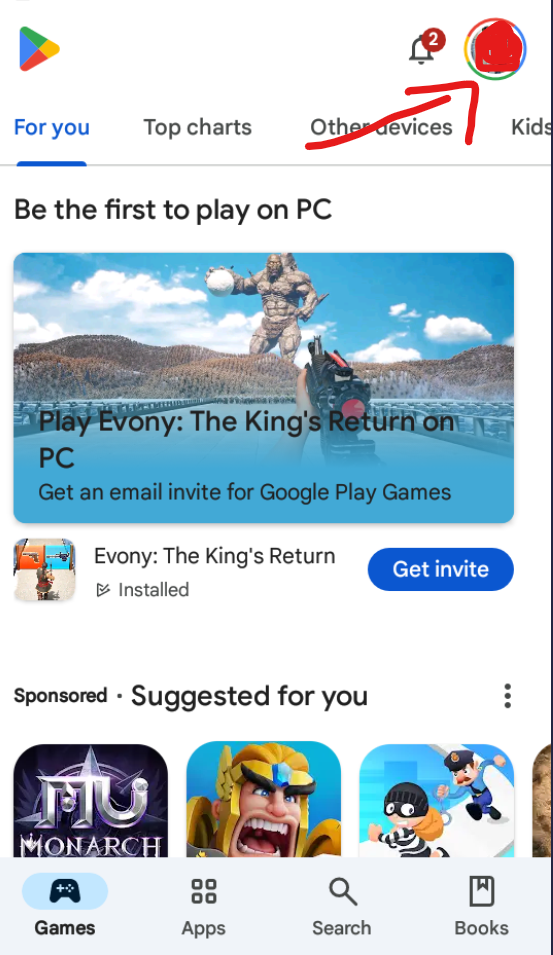
Open the Google Play Store on the device, and then click the Google Profile icon.
Step 2
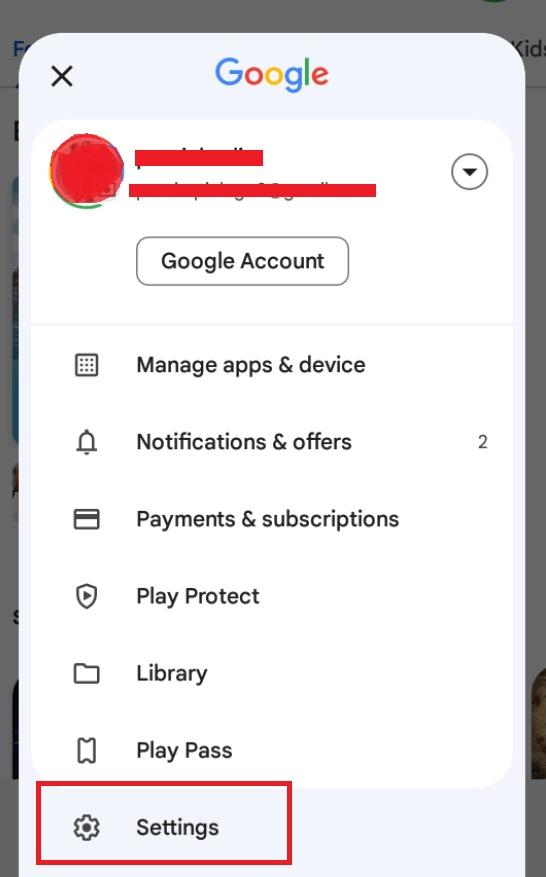
Scroll down to find the "Settings" option and click on it.
Step 3
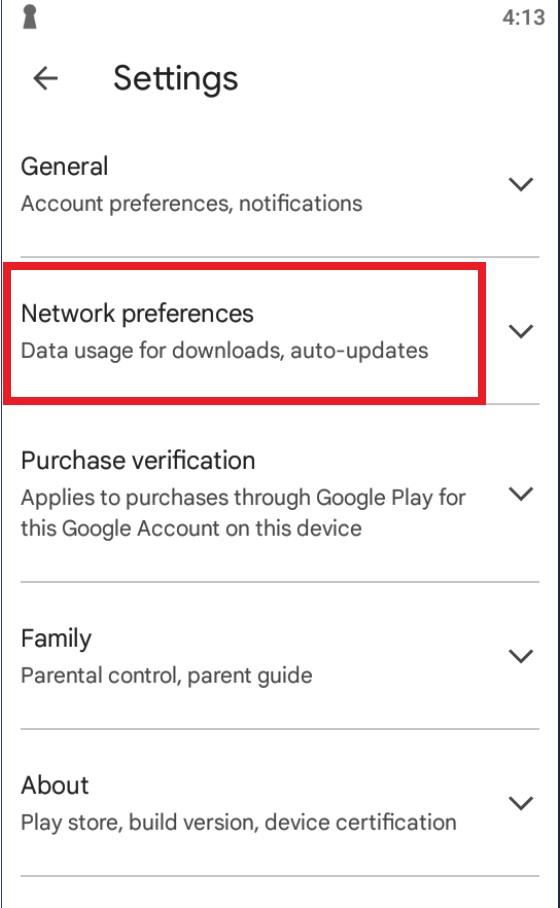
You will see the "Network Preferences" tab in the settings list. Click it.
Step 4
Click Auto-update Apps, and pick do not update.