


Aller au contenu

Getting Started

Disable Play Store Auto-update

Turn off automatic app updates in the Google Play Store so Evony updates do not break the bot.

update getting-started

Original Mis à jour 1 min de lecture

Ce guide n'est pas encore traduit en Français, il est donc affiché en anglais.
Disable Play Store Auto-update screenshot 1

  1. Open the Google Play Store on the device, and then click the Google Profile icon.
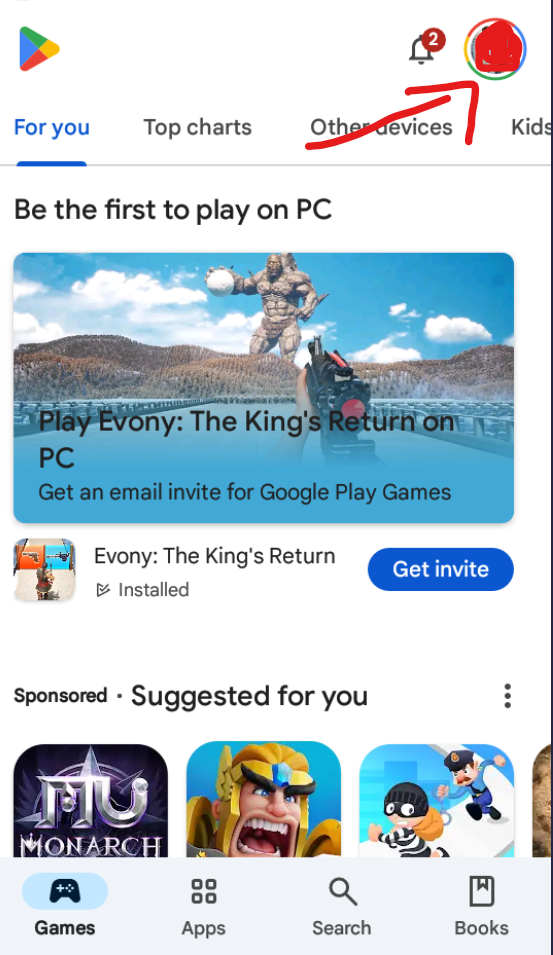
    Google Play Store with the profile icon

  2. Scroll down to find the "Settings" option and click on it.
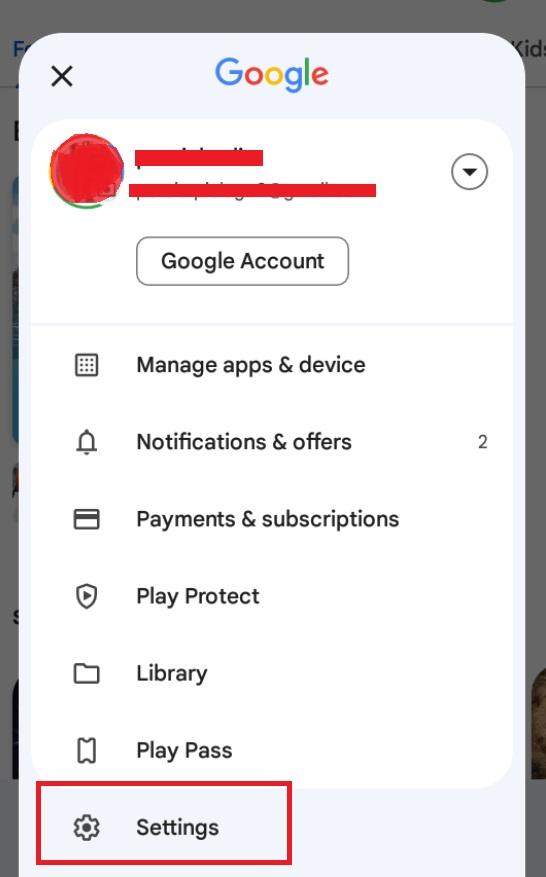
    Play Store profile menu with the Settings option

  3. You will see the "Network Preferences" tab in the settings list. Click it.
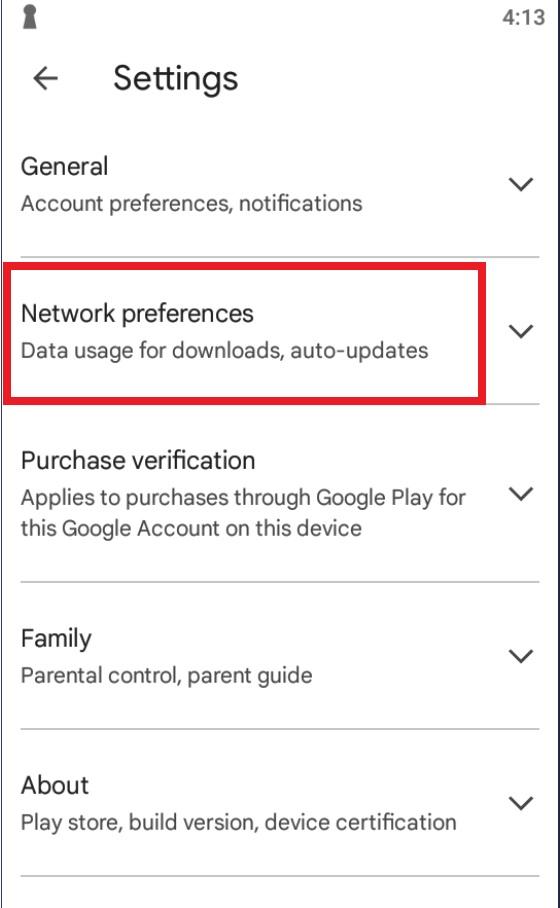
    Play Store settings list showing Network Preferences

  4. Click Auto-update Apps, and pick do not update.
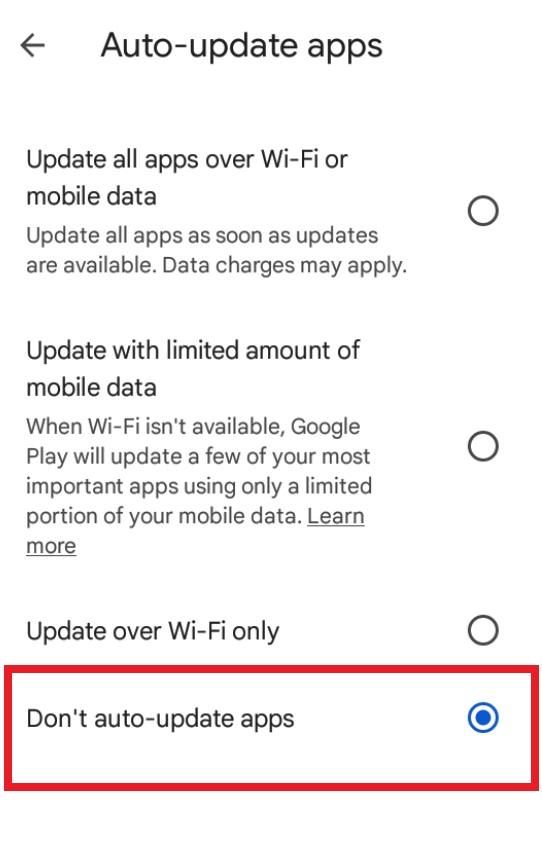
    Auto-update apps option set to do not update

Cette page vous a-t-elle été utile ?

Essayez-le sur votre propre appareil

Créez un compte gratuit, téléchargez l'application et suivez ce guide. Votre essai démarre immédiatement.