






Automation Modes
Scheduler Guide
Use the Scheduler tab to check march status, the event period, the activity log and the list of unplanned activities.
Ce guide n'est pas encore traduit en Français, il est donc affiché en anglais.
Sur cette page

How to Use
Follow the steps below to understand and take advantage of this mode.
Scheduler Settings
- You must go to the Scheduler tab to adjust the settings.
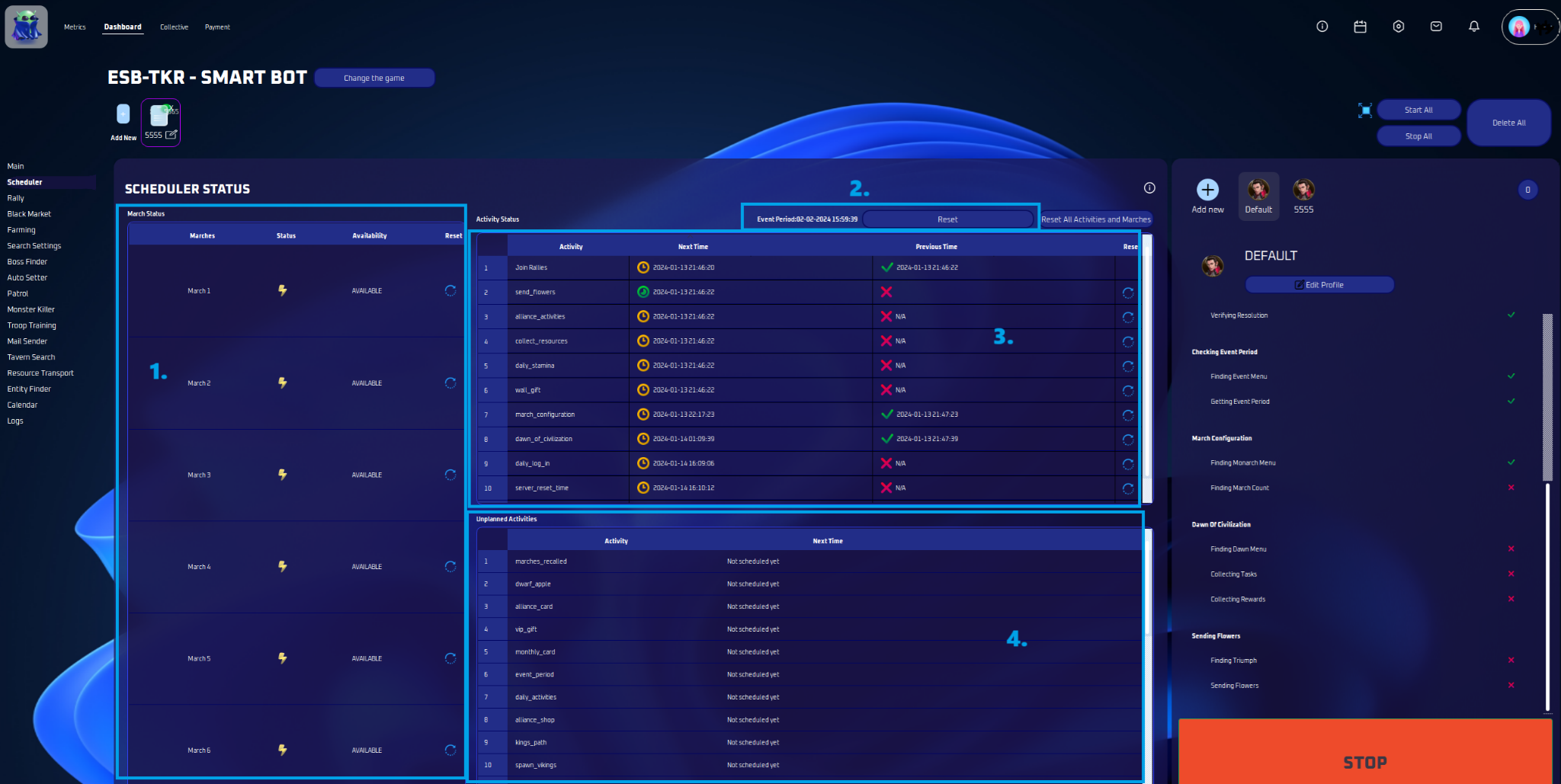
March Status
- Check the status of your marches here— whether they’re available or when they’ll be. Plus, reset them easily from this spot.
Event Period
- The event period is displayed here. If you want to recheck, simply click ‘Reset’.
Activity Status
- This is your activity log — find out when things happened and when they’ll happen next. Want to do one again? Just hit ‘Reset’.
Unplanned Activities
- This is a list of activities that are not scheduled to be done.